📖 Read more: Drone Photography Portfolio: How to Stand Out
🌐 What Is Aerial Panoramic Photography
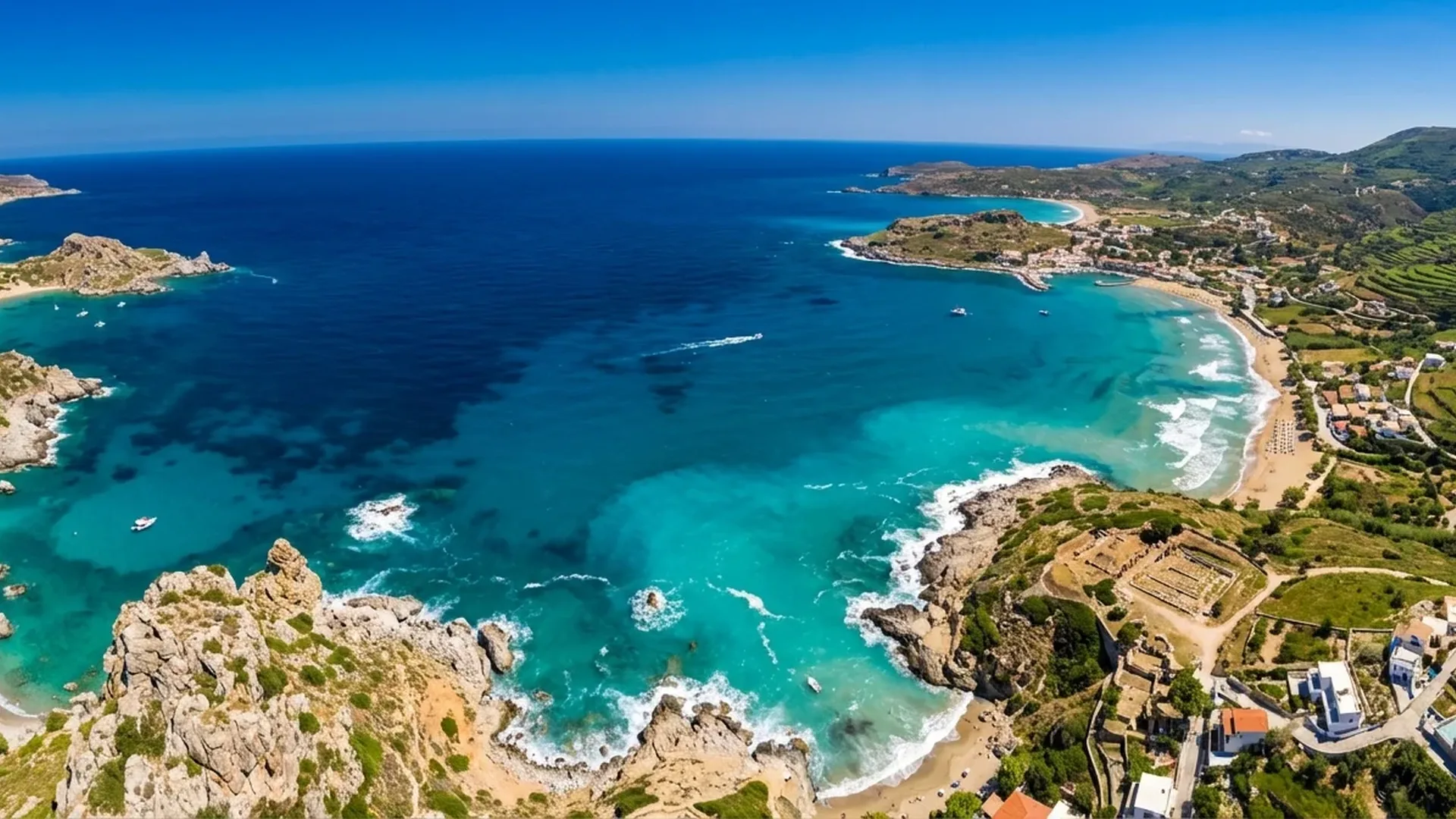
Aerial panoramic photography involves creating images that cover a field of view significantly wider than what the camera lens captures in a single frame. A drone sporting a 1/1.3-inch sensor (48MP) and a 24mm-equivalent lens produces impressive photos, but when you're shooting coastlines, mountain ranges, or sprawling cityscapes, you often need something wider — much wider.
The concept is deceptively simple: the drone captures multiple overlapping photos in different directions, and software then “stitches” them into a single unified image. The result can reach 100+ megapixels or even gigapixel resolution, revealing detail that holds up even in massive prints.
📷 The 4 Panorama Modes on DJI Mini 4 Pro
According to DJI's official specs, the Mini 4 Pro supports four panorama modes through the DJI Fly app. Each serves a different purpose:
Sphere (360°)
Creates a full spherical panorama covering 360° × 180°. The drone automatically shoots 26+ photos in all directions — around, up, and down — then stitches them into an equirectangular image. Perfect for interactive viewing on SkyPixel, Google Maps, or Facebook 360°.
180° Panorama
Automatically captures multiple shots in a semicircular arrangement, then stitches them into a wide panoramic image covering nearly 180 degrees horizontally. Ideal for coastlines, valleys, and urban panoramas.
Wide Angle
Combines 9 frames (3×3 grid) into a wider, higher-resolution image. Doesn't reach as wide a field of view as 180°, but delivers a more “natural” look without distortion. Great for landscapes where you want a slightly wider perspective.
Vertical
Shoots 3 photos vertically (up-center-down) and stitches them together. Creates a tall, narrow image ideal for rivers, roads, gorges, or social media stories. Takes full advantage of the Mini 4 Pro's gimbal tilt range from -90° to 60°.
💡 Good to know: In all automatic panorama modes, the DJI Fly app handles both capture and stitching. The final image is saved as JPEG, while the individual frames can also be saved in DNG (RAW) for later manual stitching in specialized software.
🔄 How the Automatic Mode Works — Step by Step
Using the DJI Mini 4 Pro's auto panorama modes is designed to be easy even for beginners. That said, there are a few things you need to get right before pressing the shutter button:
Step 1: Fly to the right altitude
Aim for at least 30-50 meters (100-165 ft). At low altitudes, nearby objects (trees, buildings) can cause parallax errors — slight misalignments between frames during stitching. The higher you fly, the smoother the results.
📖 Read more: Action Camera vs Drone: When Do You Need What?
Step 2: Select your panorama mode
In the DJI Fly app, tap the camera icon → Photo mode → Panorama. Choose between Sphere, 180°, Wide Angle, or Vertical depending on your scene.
Step 3: Lock the exposure
Long-press on the screen to lock exposure (AE Lock). This ensures all frames share the same brightness — otherwise, the seams between bright and dark frames will be clearly visible.
Step 4: Start and wait
Tap the shutter. The drone will automatically rotate and shoot. Don't touch the sticks! The process takes 30-90 seconds depending on the mode. In Sphere mode, it can take up to 2 minutes.
🎨 Manual Panorama Technique
The automatic DJI Fly modes deliver excellent results for quick use, but the manual approach unlocks far greater possibilities. Why? Because it lets you shoot in RAW (DNG), maintain full control over settings, use bracketing for HDR, and create panoramas with significantly higher resolution.
How to shoot a manual panorama
- Set Manual mode: ISO, shutter speed, white balance — keep everything fixed. On the DJI Mini 4 Pro you can manually adjust all parameters through the DJI Fly app (ISO 100-6400 at 12MP, shutter 1/16000-2s).
- Format: DNG (RAW): Save files in RAW for maximum dynamic range and flexibility during stitching.
- Overlap 30-40%: Each successive frame should overlap the previous one by at least 30%. This gives the software enough reference points for accurate alignment.
- Rows and columns: For a full panorama, shoot in rows: first horizontally at one gimbal angle, then change the tilt and sweep again. Typically 3-4 rows × 8-12 columns = 24 to 48 shots.
- Always start from the top: Begin with the gimbal at 60° (up) and work your way down to -90° (straight down). This reduces the chance of missing sections.
🖥️ Stitching Software: The Tools You Need
After shooting, the individual frames need to be stitched into a single unified image. There are several options depending on your skill level and budget:
DJI Fly App
Handles automatic stitching during capture. Easy, fast, but limited to JPEG output. Ideal for social media and quick sharing.
Adobe Lightroom
Photo Merge → Panorama. Supports RAW files, spherical projection, boundary warp. Excellent for 2D panoramas but doesn't support full 360° equirectangular output.
PTGui Pro
The industry standard. Full 360° spherical panoramas, HDR stitching, gigapixel support, “Little Planet” projections. Cost: €175 (~$190) for a personal license. Automatic control point detection with GPU-accelerated stitching.
Hugin (Free)
Open source alternative. Powerful tool but with a more technical interface. Supports multiple projections (equirectangular, rectilinear, stereographic). Ideal for experimentation at zero cost.
📖 Read more: Best Drones 2026: Complete Buying Guide
🌅 Weather Conditions & Timing
Aerial panoramic photography is particularly sensitive to lighting conditions. In a standard single frame, minor brightness shifts go unnoticed. In a panorama composed of 20+ frames, even a slight change can create visible seams (banding).
Ideal conditions
- Even lighting: Golden hour or blue hour provide smooth, shadowless light. Even an overcast afternoon delivers excellent results for panoramas.
- Low wind: The DJI Mini 4 Pro handles wind up to 10.7 m/s, but panoramas demand stability. Below 5 m/s is the sweet spot. Even with ±0.01° gimbal vibration, wind can slightly shift the drone between frames.
- Avoid rapidly changing light: Fast-moving clouds passing in front of the sun spell disaster. Each frame will have different exposure, and stitching will show visible seams.
- Static scenes: Moving objects (cars, waves, boats) create “ghosts” — they appear cut or duplicated in the final panorama. Can't always be avoided, but fast shooting helps minimize them.
🏞️ HDR Panoramas: The Ultimate Technique
Combining HDR with panorama produces the ultimate result in high-contrast scenes — for instance, a landscape where the low sun illuminates rocks while shadow covers the sea. This technique pairs exposure bracketing (AEB) with panoramic stitching.
On the DJI Mini 4 Pro, the AEB (Automatic Exposure Bracketing) function shoots 3, 5, or 7 frames at 0.7 EV steps in 12MP mode. This means for each angle of your panorama, you capture multiple exposures. Software like PTGui Pro then performs simultaneous HDR merge + stitch. The final image boasts tremendous dynamic range and detail in both highlights and shadows. The 1/1.3″ sensor with Dual Native ISO Fusion already delivers decent dynamic range — add AEB bracketing and the results become exceptional.
⚠️ Note: HDR panorama technique demands very stable conditions. Each angle requires 3-7 frames instead of 1, so if you're shooting a 30-angle panorama × 5 exposures = 150 photos. Capture time increases substantially, so the weather needs to cooperate.
🪐 "Little Planet": The Fun Application
If you've ever seen those peculiar — yet mesmerizing — images that look like miniature planets, that's the “Little Planet” (or Tiny Planet) technique. Essentially, you take a Sphere panorama (360° × 180°) and project it using stereographic projection — a mathematical transformation that “wraps” the scene around a central point.
The spherical panoramas automatically captured by the DJI Mini 4 Pro in Sphere mode make an ideal starting point. After capturing your sphere panorama, use software like PTGui (€175 / ~$190) which supports stereographic projection, or free alternatives like Hugin. Even some mobile apps (e.g., Tiny Planet) handle the conversion automatically.
The most striking Little Planet results come from landscapes with distinct features — coastlines, parks with circular paths, islands. Avoid scenes with too many similar elements (e.g., uniform forest) as they lose the “planet” effect.
📖 Read more: Drone Aerial Photography: Beginner's Guide
📐 Composition: Planning Your Panorama
Composition in panoramic photography works a bit differently than a standard shot. You're not focusing on a single point of interest — you're framing an entire landscape. Still, certain principles apply:
- Strong horizon line: Place the horizon between the lower third and halfway point of the final frame. In aerial photography, a high horizon creates depth, while a low horizon highlights dramatic skies.
- Leading lines: Rivers, roads, and coastlines guide the eye through the panorama. In a wide image, these lines become even more important.
- Foreground – middle – background: Even in a panorama, depth matters. Find elements at three planes — e.g., rocks in front, sea in the middle, mountains behind.
- Avoid empty spaces: A panorama with 80% sky or 80% ocean looks dull. You need variety in visual elements.
💰 Equipment & Costs
Aerial panoramic photography doesn't require a massive investment beyond the drone itself. However, a few accessories and tools make a significant difference:
Essential Gear
- DJI Mini 4 Pro: ~€700 (~$759) base or ~€1,010 (~$1,099) Fly More Combo (RC 2)
- microSD V30 256GB: ~€30 (~$33) — essential for storing multiple RAW files
- ND Filters Set: ~€45-60 (~$49-65) — for smooth shutter speed in bright conditions
Stitching Software
- DJI Fly App: Free (automatic, basic)
- Adobe Lightroom: ~€12/month (~$13) Creative Cloud plan
- PTGui Pro: €175 (~$190) one-time (industry standard)
- Hugin: Free (open source)
🏖️ Greek Landscapes: Ideal Scenarios
Greece, with its islands, coastlines, and mountainous terrain, is a paradise for aerial panoramic photography. A few scenarios worth trying:
- Santorini — Caldera: Sphere panorama above Fira. The caldera's circular shape produces stunning results in Sphere mode and makes an incredible “Little Planet.”
- Milos — Sarakiniko: 180° panorama from the white volcanic rocks. The contrast of white rock against turquoise water is unmatched.
- Vikos Gorge: Perfect for Vertical panorama. The deep canyon demands vertical coverage rather than horizontal.
- Mount Parnitha / Olympus: Wide Angle panorama with snow-capped peaks. The combination of mountain, forest, and plains creates depth.
- Navagio Beach, Zakynthos: Sphere panorama above the famous shipwreck beach. A classic shot, but in 360° it takes on a whole new dimension.
⚙️ Tips for Perfect Results
- Use Manual exposure: Consistent exposure (ISO, shutter speed, white balance) across all frames eliminates seams. Only use Auto if you don't want to bother with settings.
- Always shoot RAW: Even when running auto panorama, save the individual RAW files. You can always re-stitch them later in better software.
- Check the edges: Before stitching, examine the outermost frames. If a section is missing, it's better to fly again.
- Remove the drone: In Sphere panoramas, the camera can't shoot directly below (nadir). During stitching, you may need to remove or “fill in” the spot beneath the drone with retouching.
- Never shoot in Auto White Balance: If it shifts between frames, you'll see color banding. Lock it at the appropriate Kelvin temperature.
- Try portrait orientation: For manual panoramas, rotate the gimbal 90° to vertical if your drone supports it. This gives greater vertical coverage per frame, reducing the number of rows needed.
📊 Automatic vs Manual Panorama: Comparison
✅ Automatic (DJI Fly)
- Fast — 30-90 seconds
- Easy — zero experience needed
- Instant results — JPEG right away
- Ideal for social media & SkyPixel
🎯 Manual
- Maximum resolution — 100+ megapixels
- RAW files — full control
- HDR capability — AEB bracketing
- Ideal for prints & commercial use
For many users, the ideal approach is a combination: capture an auto panorama first for a quick result, then re-shoot manually in RAW if the scene warrants it. That way you always have a “safe” image while you work on the manual version.
📱 Where to Share Your Panoramas
Spherical panoramas aren't ordinary images — they require a specialized viewer to enjoy in full 360°. Some popular platforms:
- SkyPixel: DJI's community platform with a built-in 360° viewer. Ideal for drone panoramas.
- Facebook: Supports native 360° photos — tilt your phone or drag with your finger.
- Google Maps Street View: Upload your sphere panoramas as “photospheres” — they appear on the map.
- Kuula / Momento360: Dedicated 360° image hosting platforms with free basic tiers.
For “flat” panoramas (180°, Wide Angle), upload them to any photography platform — Instagram (in carousel mode if needed), 500px, Flickr, etc. Their resolution deserves a proper photography platform.
Read more: DJI Osmo 360: DJI’s First 360° Camera — Full Review