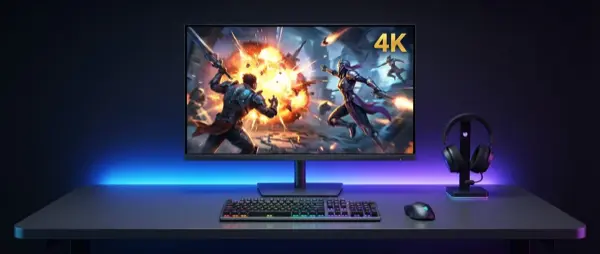
The 4K gaming monitor market in 2026 is at its most exciting stage ever. OLED panels hitting 240Hz, second-generation QD-OLED technology, Mini-LED with thousands of dimming zones — the choices are so plentiful that making the right decision requires knowledge. This guide explains everything, from panel technologies to the best models across every budget.
Why a 4K Monitor in 2026?
4K gaming monitors are no longer a luxury — they're the new baseline. The NVIDIA RTX 50-series and AMD RDNA 4 GPU generation delivers enough power to run 4K at high framerates, even in demanding titles. Meanwhile, 4K panel prices have dropped dramatically: a respectable 4K IPS monitor now costs less than €400, while OLEDs start under €800.
The transition to 4K isn't just about pixels. More resolution means better text rendering for productivity, cleaner image quality without aliasing, and an immersive gaming experience that's incomparable to 1440p.
🖥️ What's Changing in 2026
- QD-OLED Gen 3: Third-generation Samsung Display QD-OLED panels with 2000+ nits peak brightness
- 4K 240Hz OLED: Full normalization — multiple brands now offer this spec combination
- Mini-LED Zone Evolution: 2000+ dimming zones for competitive HDR experience
- DisplayPort 2.1 UHBR20: 80 Gbps bandwidth — no compression needed for 4K/240Hz
- AI Upscaling: NVIDIA DLSS 4 and AMD FSR 4 making 4K more accessible performance-wise
Panel Technologies: Which One Suits You?
Choosing the right panel technology is the most important decision when buying a gaming monitor. Each technology has its strengths and weaknesses, and the ideal pick depends on how you use your computer.
OLED / WOLED
Perfect blacks (pixel-off), infinite contrast ratio, exceptional response times (0.03ms GtG). Ideal for atmospheric games and dark environments. Risk of burn-in with static content.
QD-OLED
Quantum Dot + OLED hybrid by Samsung Display. Exceptional color accuracy, 99%+ DCI-P3, higher peak brightness than WOLED. The top technology for gaming + content creation.
IPS + Mini-LED
Burn-in free, high sustained brightness (1000+ nits), excellent viewing angles. Lower contrast ratio than OLED, blooming in dark scenes. Value option for long-term use.
VA Panel
Better native contrast than IPS (3000:1+), deeper blacks, more affordable price. Slower response times, narrower viewing angles. Solid budget choice for casual gaming.
📊 Panel Technology Comparison
| Characteristic | OLED/QD-OLED | IPS + Mini-LED | VA Panel |
|---|---|---|---|
| Contrast Ratio | Infinite (pixel-off) | 1000:1 native + zones | 3000-5000:1 |
| Response Time | 0.03ms GtG | 1-3ms GtG | 4-8ms GtG |
| Peak Brightness | 1000-2000 nits | 1000-1500 nits | 300-500 nits |
| Color Gamut | 99% DCI-P3 | 95-98% DCI-P3 | 90-95% DCI-P3 |
| Burn-in Risk | Yes (reduced w/ tech) | None | None |
| Price (27″ 4K) | €700-1500 | €400-900 | €300-500 |
Refresh Rate: How Many Hz Do You Need?
The refresh rate determines how many frames per second your screen can display. In the 4K gaming market of 2026, the main options are 60Hz, 144Hz, 165Hz, and 240Hz.
⚡ Which Rate for Which Use
- 60Hz: Only for purely productivity or budget-limited setups. Not acceptable for gaming in 2026
- 144Hz: The sweet spot for most gamers. Runs AAA games at 4K with a mid-range GPU
- 165Hz: Small premium over 144Hz, worth it if you find it at the same price
- 240Hz: The pinnacle for 2026. Ideal for competitive FPS + fast-paced action. Requires RTX 5080+ or RX 9070 XT+
"The jump from 144Hz to 240Hz at 4K isn't as dramatic as the leap from 60Hz to 144Hz, but in competitive gaming the difference becomes noticeable — especially in fast-paced shooters."
— Hardware Unboxed, Monitors Review 2025
HDR: What You Actually Need
HDR (High Dynamic Range) is one of the most misunderstood features in gaming monitors. VESA DisplayHDR certification starts at 400 nits, but the real HDR gaming experience begins at DisplayHDR 1000 and above.
OLED monitors have an advantage in perceived HDR due to their infinite contrast — even at 800 nits peak, the image looks more HDR than an IPS at 1000 nits because of the perfect blacks. However, Mini-LED panels excel at sustained full-screen brightness, which matters for games with bright scenes.
🌈 HDR Standards That Matter
- DisplayHDR 400: Marketing gimmick — doesn't deliver a meaningful HDR experience
- DisplayHDR 600: Entry-level HDR. Noticeable improvement in highlights but limited local dimming
- DisplayHDR 1000: The sweet spot. True HDR experience with 1000+ nits and sufficient dimming zones
- DisplayHDR True Black 400: OLED-specific — the perfect blacks make the difference
- Dolby Vision Gaming: Supported on Xbox Series X|S. Dynamic per-scene metadata → optimal image
Screen Size and Aspect Ratio
Screen size directly impacts the gaming experience. At 4K, pixel density plays a crucial role: a 27″ panel at 3840×2160 delivers 163 PPI, while a 32″ drops to 138 PPI — both excellent, but the difference is noticeable up close.
27″ 16:9
The classic gaming size. 163 PPI, razor-sharp image, ideal for competitive gaming. Fits easily on any desk. The price-performance sweet spot.
32″ 16:9
Greater immersion, 138 PPI — still excellent. Ideal if you sit a bit further away. The most popular 2026 choice for mixed gaming + productivity use.
34″ Ultrawide 21:9
3440×1440 (UWQHD) — not true 4K but exceptional FOV. Cinematic gaming experience. Not compatible with some competitive games and consoles.
42-45″ OLED 16:9
The new trend: TV-size OLED panels as desktop monitors. 4K at 42" = 105 PPI. Massive immersion, ideal if you combine PC + console gaming from the couch.
Key Specs to Check
Beyond panel type, refresh rate, and resolution, there are several specifications that make a real difference in the daily use of a gaming monitor.
🔧 Specification Checklist
- Response Time (GtG): Under 1ms for OLED, under 5ms for IPS. Lower = less ghosting
- Input Lag: Under 5ms. Critical for competitive gaming — check reviews, not specs
- Adaptive Sync: G-Sync Compatible or FreeSync Premium Pro. Eliminates tearing without V-Sync input lag
- Color Gamut: 95%+ DCI-P3 for HDR gaming, 99%+ sRGB minimum
- Color Depth: 10-bit (8-bit + FRC minimum). True 10-bit for smooth gradients
- Connectivity: DisplayPort 2.1 or HDMI 2.1 (4K/120Hz). DP 2.1 UHBR20 for 4K/240Hz uncompressed
- USB Hub: Built-in USB-C/USB-A hub — extremely convenient for peripherals
- Ergonomics: Height, tilt, swivel, pivot adjustment. VESA 100×100 mount compatibility
Best 4K Gaming Monitors 2026
After extensive analysis, these are the models that stand out in each price and usage category. The gaming monitor market moves fast, so these picks reflect the landscape in early 2026.
Premium Tier (€1000+)
👑 Top Picks
| Model | Panel | Specs | Price |
|---|---|---|---|
| Samsung Odyssey OLED G8 (2026) | QD-OLED Gen 3 | 32″ 4K 240Hz, 0.03ms, HDR True Black | ~€1,300 |
| LG UltraGear 32GS95UE | WOLED | 32″ 4K 240Hz, 0.03ms, Dual-mode (4K/240 or FHD/480) | ~€1,100 |
| ASUS ROG Swift PG32UCDM | QD-OLED | 32″ 4K 240Hz, 0.03ms, 1300 nits peak | ~€1,200 |
| Dell Alienware AW3225QF | QD-OLED | 32″ 4K 240Hz, 0.03ms, Infinite contrast | ~€1,100 |
Mid-Range Tier (€500-1000)
⚡ Value Champions
| Model | Panel | Specs | Price |
|---|---|---|---|
| ASUS ROG Swift PG27UCDM | QD-OLED | 27″ 4K 240Hz, 0.03ms, 1000 nits | ~€800 |
| MSI MAG 274QRF QD-OLED | QD-OLED | 27″ 4K 165Hz, 0.03ms, 250 nits sustained | ~€650 |
| LG 27GR95QE-B | WOLED | 27″ 4K 144Hz, 0.03ms, Anti-glare coating | ~€700 |
| Gigabyte M28U | IPS (SS) | 28″ 4K 144Hz, 1ms, KVM Switch, USB-C | ~€500 |
Budget Tier (Under €500)
💰 Budget-Friendly
| Model | Panel | Specs | Price |
|---|---|---|---|
| Samsung ViewFinity S7 | IPS | 32″ 4K 144Hz, 4ms, HDR10, USB-C PD 65W | ~€400 |
| AOC U27G3X | IPS | 27″ 4K 160Hz, 1ms, HDR400, FreeSync Premium | ~€350 |
| ASUS TUF Gaming VG28UQL1A | IPS | 28″ 4K 144Hz, 1ms, HDMI 2.1, FreeSync Premium | ~€380 |
"If you're buying a 4K gaming monitor in 2026 and your budget allows it, go OLED. The difference in image quality — especially in contrast, blacks, and response times — is generations ahead."
— RTINGS.com, Best Gaming Monitors 2026
GPU and 4K: What Graphics Card Do You Need?
4K gaming resolution is extremely demanding. Even with DLSS 4 or FSR 4, you need a capable GPU to fully enjoy the capabilities of a 4K high-refresh monitor.
🎮 GPU Recommendations by Target
| Target | NVIDIA | AMD |
|---|---|---|
| 4K / 60fps Ultra | RTX 4070 Ti Super+ | RX 7900 XT+ |
| 4K / 120fps High | RTX 5070 Ti+ | RX 9070 XT+ |
| 4K / 144-240fps (w/ DLSS/FSR) | RTX 5080+ | RX 9080+ |
| 4K / 240fps Native | RTX 5090 | RX 9090 (pending) |
NVIDIA DLSS 4 (Multi Frame Generation) and AMD FSR 4 (Machine Learning-based) technologies are game-changers. With DLSS 4 Quality, an RTX 5070 can achieve 4K/120fps in many AAA titles — something impossible natively. Image quality remains excellent, making AI upscaling the most realistic path to 4K high-refresh gaming.
Burn-In: How Much Should You Worry?
Burn-in is the number one concern for OLED monitor buyers. The truth? In 2026, modern OLED panels feature evolved anti-burn-in features that drastically reduce the risk.
🛡️ OLED Anti-Burn-in Features 2026
- Pixel Shifting (Micro): Automatic pixel displacement by 1-2 positions — invisible to the eye
- Pixel Refresh Cycles: Automatic compensation during shutdown or every X hours
- ABL (Auto Brightness Limiter): Reduces brightness on static bright elements
- Logo/Taskbar Detection: AI-based static element detection with selective dimming
- Manufacturer Warranty: Many manufacturers (LG, Samsung, ASUS) cover burn-in for 3 years
Practically speaking, if you primarily use your computer for gaming (dynamic content), the burn-in risk is minimal. If you spend many hours on productivity with permanent elements (taskbar, IDE toolbars), make sure to enable anti-burn-in features and change your wallpaper/theme periodically.
Connectivity & Ports: What to Watch For
The connection between your GPU and monitor is critical for 4K high-refresh gaming. The wrong port can limit you to a lower refresh rate or force DSC (Display Stream Compression).
DisplayPort 2.1
UHBR10 (40 Gbps) or UHBR20 (80 Gbps). The new standard for 4K/240Hz without compression. Supported by RTX 50-series and RX 9000-series.
HDMI 2.1
48 Gbps — enough for 4K/120Hz uncompressed or 4K/144Hz with DSC. Essential if you're connecting a PS5 Pro or Xbox Series X.
USB-C / Thunderbolt
Alt-mode DP 2.1 + PD (power delivery) 65-100W + data. Ideal for laptop gaming setups — one cable for everything.
KVM Switch
Built-in KVM switch on select monitors (Gigabyte, BenQ). Switch between PC + laptop with one button press.
Buying Guide: Step by Step
Follow these steps to find the ideal 4K gaming monitor without wasting time on the wrong models:
📋 Buying Steps
- 1. Set Your Budget: Budget → IPS 4K 144Hz (€300-500). Mid → OLED 4K 240Hz (€700-1000). Premium → QD-OLED 32″ 4K 240Hz (€1000+)
- 2. Know Your GPU: A 4K 240Hz monitor isn't worth it if your GPU can't hit 100fps at 4K
- 3. Decide on Size: 27″ for competitive, 32″ for immersive, 42″+ if gaming + media center
- 4. Check Reviews: RTINGS.com, Hardware Unboxed, TFT Central. Don't rely on specs alone
- 5. Catch Sales: Black Friday, Prime Day, and end-of-generation sales offer 20-40% discounts
Frequently Asked Questions (FAQ)
Is 4K worth it over 1440p? If your GPU can handle it, yes. The difference in clarity, especially in open-world games and UI-heavy applications, is evident. If your budget is very limited, a 1440p 240Hz OLED (e.g., Samsung G6) is an excellent alternative.
Curved or flat for 4K gaming? 27″ monitors are almost always flat — and rightfully so. At 32″, the curve (1800R or 1000R) aids immersion without distortion. 42″+ flat OLEDs work well enough, but a curve at this size makes a noticeable difference.
Do I need a G-Sync module or is Compatible enough? G-Sync Compatible (FreeSync) covers the needs of 99% of gamers exceptionally well. Dedicated G-Sync modules offer variable overdrive but significantly increase the price.
Final Verdict
The 4K gaming monitor market in 2026 is in its golden age. QD-OLED technology has matured, 4K 240Hz panels are going mainstream, and even budget models deliver respectable gaming experiences. Your ideal choice depends on three factors: budget, GPU power, and use case.
If you can dedicate €800+, a QD-OLED 27″ or 32″ 4K 240Hz will deliver image quality you won't believe exists on a desktop monitor. If your budget is tighter, an IPS 4K 144Hz at €350-500 remains an excellent purchase. The one certainty? Whatever you choose, 4K on a gaming monitor is now worth every cent.