📖 Read more: SSD NVMe for Gaming: Speed & Guide 2026
🔧 What Are Mods
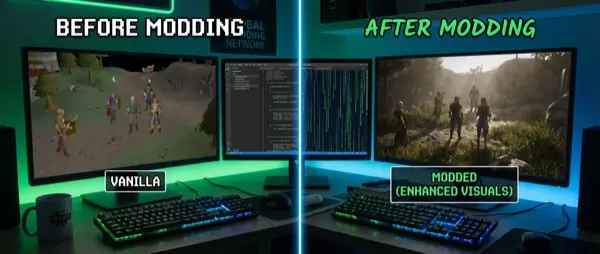
Mods are modifications created by a game's community. They can change anything: textures, models, gameplay mechanics, UI, physics, audio, and even entire quest lines. Some mods are small improvements (bug fixes, texture upscales), while others are massive total conversions that create entirely new games.
Why modding? Because it adds hundreds of hours to games you love, fixes things developers didn't have time for, gives games longevity they wouldn't otherwise have, and because the community's creativity is inexhaustible.
💡 Modding Safety: Basic Rules
1) Always backup before modding — keep a clean copy of the game. 2) Only download from trusted sources (Nexus Mods, Steam Workshop). 3) Read descriptions and compatibility notes. 4) Never run .exe files from untrusted mods. 5) Use a mod manager instead of manual installation.
🌐 Nexus Mods: The Biggest Source
Nexus Mods (nexusmods.com) is the world's largest mod platform, with over 500,000 mods for hundreds of games. Create a free account and gain access to a massive library. The premium subscription (€3.49/month) gives faster downloads but isn't required.
Every mod on Nexus has: description, screenshots, video, requirements (which other mods it needs), changelogs, bugs section, endorsement rating, and user comments. Always read the requirements — many mods need framework mods (SKSE, F4SE, LOOT) to function.
🔥 Top Nexus Games
Skyrim Special Edition (75K+ mods), Fallout 4 (40K+), Cyberpunk 2077 (10K+), Stardew Valley (8K+), Witcher 3 (5K+), Baldur's Gate 3 (4K+), Starfield (3K+).
📋 Nexus Tips
Sort mods by Most Endorsed or Trending. Use Collections for pre-made mod lists. Check Last Updated date — old mods may not work.
🎮 Steam Workshop: Simple & Clean
If you don't want complexity, Steam Workshop is ideal. You download mods with one click via Steam, they install automatically, and update on their own. No mod manager or manual setup needed.
The platform is excellent for games like Minecraft (Java Edition via CurseForge), Cities: Skylines 2, RimWorld, Stellaris, Civilization VI, Total War: Warhammer 3, Euro Truck Simulator 2, and Factorio. For more complex modding (Skyrim, Fallout), however, Nexus gives you much more control.
🛠️ Mod Managers: Vortex vs MO2
Mod managers are your salvation. Instead of manually copying files to game folders (the old way), mod managers handle everything automatically: installation, enabling/disabling, load order, conflict detection, profiles.
🔵 Vortex (by Nexus)
The official Nexus Mods manager. User-friendly, auto-sorting with LOOT integration, drag-and-drop conflict resolution, profiles support. Ideal for beginners. Supports 100+ games.
🟢 Mod Organizer 2 (MO2)
The power tool for advanced modders. Virtual file system — doesn't touch the game folder. Perfect file conflict resolution, portable profiles, better performance. Steep learning curve but undeniably superior.
⚖️ Which One to Choose?
Beginner → Vortex. 20+ mods or Bethesda games → MO2. Casual modding → Steam Workshop. For each game, check what the community recommends.
📦 Other Tools
LOOT (load order sorting), xEdit (conflict resolution), Wrye Bash (bashed patch), BethINI (ini optimization). Every modding ecosystem has its own tools.
📖 Read more: Warhammer 40K Dawn of War IV: Return of the Legendary RTS
🐉 Most Popular Modded Games
Skyrim Special Edition
The undisputed king of modding. 75,000+ mods transform Skyrim into an entirely different game. Graphic mods (ENB, textures) make it look like a modern AAA title. Gameplay overhauls (Requiem, Ordinator) radically change combat and leveling. New quest mods (Beyond Skyrim, Enderal) add dozens of hours. Recommendations: SkyUI (UI), USSEP (bug fixes), ENB preset, RaceMenu (character creation).
GTA V
Massive modding scene with LSPDFR (become a police officer), NaturalVision Evolved (photorealistic graphics), ScriptHookV (script mods), vehicle mods (1,000+ cars), and FiveM (custom multiplayer servers).
Minecraft
Perhaps the most diverse modding community. Feed The Beast, Forge, Fabric, modpacks with hundreds of mods (Create, Applied Energistics, Botania). Shader packs (SEUS, BSL) radically change the visual experience.
📋 Load Order & Compatibility
The biggest problem in modding is conflicts. Two mods might change the same file, use incompatible frameworks, or crash due to load order. Proper handling of these is critical.
- Load Order: The order in which mods are loaded. The last mod “wins” in conflicts. Use LOOT for auto-sorting.
- Patches: Many popular mods have compatibility patches between them. Always check if they exist.
- Master Files: Some mods require other mods (dependencies). Install those first.
- Bashed Patch: Combines leveled lists from multiple mods. Essential for 20+ mods in Bethesda games.
- Testing: Add 5-10 mods at a time and test. Don't install 100 mods at once.
⚠️ Troubleshooting Crashes
Game crash? 1) Try without mods (clean save). 2) Enable mods one by one until you find the culprit. 3) Check the crash log (Net Script Framework for Skyrim). 4) Search on r/modding or in Nexus comment sections. 5) Make sure you're running the correct versions.
🎨 Creating Mods: First Steps
Want to make your own mods? Start with something simple — a texture replacement or a small gameplay change. Most games provide official modding tools:
- Creation Kit (Skyrim/Fallout): Bethesda's official editor. Create quests, NPCs, items, worldspaces.
- REDmod (Cyberpunk 2077): Modding framework from CD Projekt Red.
- Minecraft Forge/Fabric: Java-based modding APIs. You need basic Java knowledge.
- Unreal/Unity Modding: Many modern games are based on these engines, with modding documentation.
- Blender: Free 3D modeling tool for custom models, textures, animations.
💬 Modding Communities
r/skyrimmods (700K+ members), r/modding, r/FalloutMods, r/pcgaming. Ideal for questions, troubleshooting, and mod recommendations.
💬 Discord
Every popular game and mod has a Discord server. Real-time help, mod development discussions, beta testing of new mods.
📹 YouTube
Gopher, GamerPoets, Brodual (Skyrim), MxR Mods, The Spiffing Brit. Tutorials, showcases, reviews, mod lists.
📚 Wikis
Step Skyrim Guide, Wabbajack (automated mod installs), STEP Project. Curated mod guides for perfect setup.
🔮 Final Thoughts
Modding is the soul of PC gaming. It transforms games with limited hours into hundred-hour experiences, brings communities together, trains new developers, and keeps decades-old games alive. Start with a mod manager, download some essential mods for your favorite game, and gradually dive deeper.
Remember: always backup, always read the instructions, start small, and don't be afraid to experiment. The modding community is one of the most welcoming in gaming — ask, learn, create. And maybe one day, you won't be downloading mods — you'll be making them.