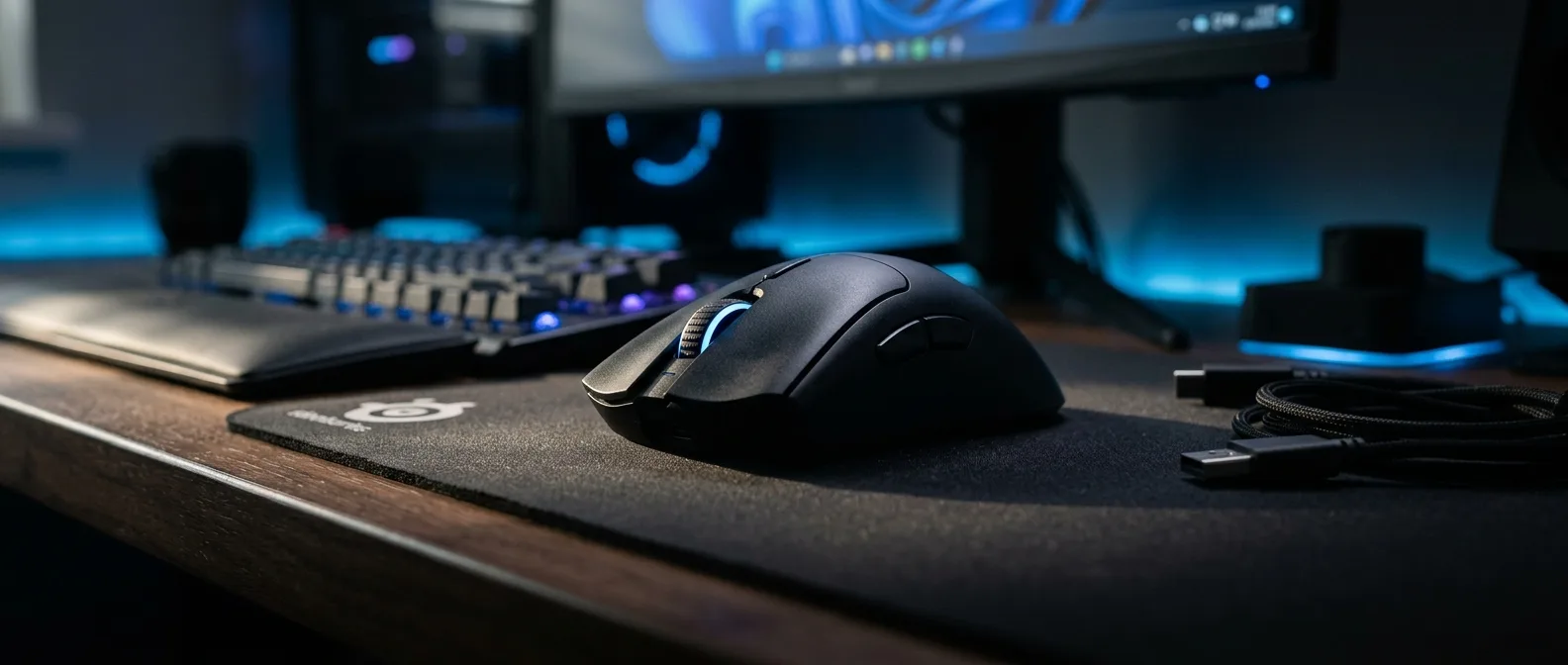
Four chips in one wireless gaming mouse — that's the new chapter Razer FrameSync brings to 2026. While the industry has chased millisecond latency improvements for years, this technology attacks the problem from the opposite direction. Instead of faster sensors, FrameSync synchronizes the sensor with your PC's polling rate. The result? Battery life nearly doubles without sacrificing precision.
📖 Read more: Gaming Chair: Complete Buying Guide 2026
⚡ What FrameSync Is and How It Works
Picture your gaming mouse sensor taking 8,000 photos per second. Each photo burns energy. The problem? Your PC doesn't ask for data 8,000 times per second.
Until now, mouse sensors worked like obsessive photographers. They snapped pictures constantly, hoping to be ready when the PC called. FrameSync flips this philosophy. The sensor only takes a photo the moment it's needed — like having an internal clock synced with your PC.
How It Works in Practice: The sensor, MCU (microcontroller), and polling rate work in perfect sync. Result: 65% fewer frames from the sensor, meaning 65% less power consumption.
The Technology Behind the Numbers
The Viper V4 Pro — the first mouse with FrameSync — promises 180 hours of operation at 1 kHz polling. The previous V3 Pro managed 95 hours. That's a doubling without trade-offs. The new mouse is even 5 grams lighter.
But how is this possible? The answer lies in optimizing data flow. Previously, the MCU had to process more images than needed. Now it only works when required — less processing, less heat, more battery life.
🔬 Gaming Performance: Weight vs Speed
At 49 grams, the Viper V4 Pro ranks among the lightest wireless gaming mice in its class. But what does this mean for gamers?
In competitive gaming, every gram counts. Not because players can't lift 55 grams, but because lighter weight enables more precise flicks and reduces fatigue during marathon gaming sessions.
Focus Pro 50K Sensor: Third Generation
The new sensor delivers 50,000 DPI — a number no gamer actually uses. The real advantages hide elsewhere: 930 IPS tracking and 90G acceleration mean you can make the fastest swipes without the sensor losing track.
But the most impressive feature? Dynamic Sensitivity allows different sensitivity settings per axis. Useful for players who want different sensitivity for horizontal vs vertical movements.
📖 Read more: Haptic Feedback: The Future of Gaming
📊 Comparison with Rival Logitech
Logitech answered Razer with the G Pro X2 Superstrike, featuring haptic-inductive analog clicks. Different approach — instead of improving battery life, it focuses on clicking speed.
The Superstrike's analog clicks activate through magnetic fields, not mechanical contact. Result: roughly 25ms faster response. But the €165 price versus Razer's €150 makes the battle interesting.
In esports, matches are decided by margins of a few milliseconds. Players don't have the luxury of uncertainty.
Jeffrey Chau, Global Esports Director at Razer
Who Wins the Specs Battle?
The Viper V4 Pro focuses on overall experience: longer battery life, better balance, optical switches promising 100 million clicks. The Superstrike plays only in the speed arena.
For competitive players gaming 8+ hours daily, the 180-hour battery life is a breakthrough. It means charging once a month instead of twice weekly.
🎯 The New Era of Wireless Gaming
After years of incremental improvements — a few grams here, some DPI there — 2026 brings fundamental changes in how gaming mice operate.
FrameSync shifts the approach from "more frames = better" to "properly synced frames = more efficient." Like the change from old 60Hz monitors to adaptive sync — a technical breakthrough.
Battery Life
180 hours continuous gaming — nearly six weeks for casual users
Architecture
49g with reinforced shell — 9% lighter than predecessor
Optical Components
Scroll wheel and switches — 100 million click durability
The End of Gaming Mouse Charging Stands?
With such battery life, wireless charging stands become nearly obsolete. When did you last charge your phone once monthly? That's the situation the Viper V4 Pro brings to gaming mice.
Of course, there's another side. When the battery dies after a month of gaming, you'll have completely forgotten about it. Good luck finding the charging cable mid-ranked match.
📖 Read more: Custom Gaming PC: Complete Build Guide 2026
🧬 Programming and Software Ecosystem
One of the Viper V4 Pro's most interesting innovations is Synapse Web — browser-based configuration without software installation. Just open your browser and configure the mouse. Useful when gaming on tournament setups or internet cafes.
The mouse's onboard memory stores 5 profiles with different DPI, polling rate, and button assignment settings. Switching happens via button combinations — no need for PC-installed Synapse.
Smart Tracking and Sensor Optimization
The Advanced tracking system includes features previously seen only in professional gaming setups:
- Asymmetric Cut-Off: 26 different lift-off distance levels
- Sensitivity Matcher: Automatic calibration for different mouse pad surfaces
- Mouse Rotation: Compensation for the angle you hold the mouse
Sensitivity Matcher is particularly clever. Scan your mouse pad surface and it automatically adjusts tracking. No more manual settings for cloth vs hard pads.
⚖️ Price and Market Positioning
At €150, the Viper V4 Pro sits in the premium segment without reaching extreme pricing levels. For comparison, the Logitech G Pro X2 Superstrike costs €165, while the previous V3 Pro started at €130.
The €20 increase is justified by new optical components, improved sensor, and primarily the FrameSync technology. If battery life truly doubles, the ROI becomes apparent within months.
Value Calculation: Gaming 4 hours daily, the V3 Pro needs charging every 24 days. The V4 Pro every 45 days. In one year: 15 vs 8 charging cycles — less battery wear, longer lifespan.
Availability and Colors
The Viper V4 Pro launches in black (49g) and white (50g). The one-gram difference comes from different coating processing — white requires extra layers for uniform appearance.
Production starts February 2026, with global availability in March. Pre-orders opened in major markets, including Europe.
🎯 Frequently Asked Questions
Can I disable FrameSync if I want?
Yes, through Razer Synapse you can return to traditional polling mode. However, Razer recommends keeping FrameSync active, as it has no negative performance impact — only benefits.
Is it compatible with all gaming setups?
The Viper V4 Pro supports polling rates from 125Hz to 8000Hz. It works with all modern operating systems and doesn't require special drivers. FrameSync automatically adapts to your set polling rate.
How does it compare to the previous V3 Pro in competitive gaming?
Beyond improved battery life and lower weight, the V4 Pro has 25% less motion latency and new optical switches with zero debounce delay. For competitive players, these improvements could make the difference in tight matches.