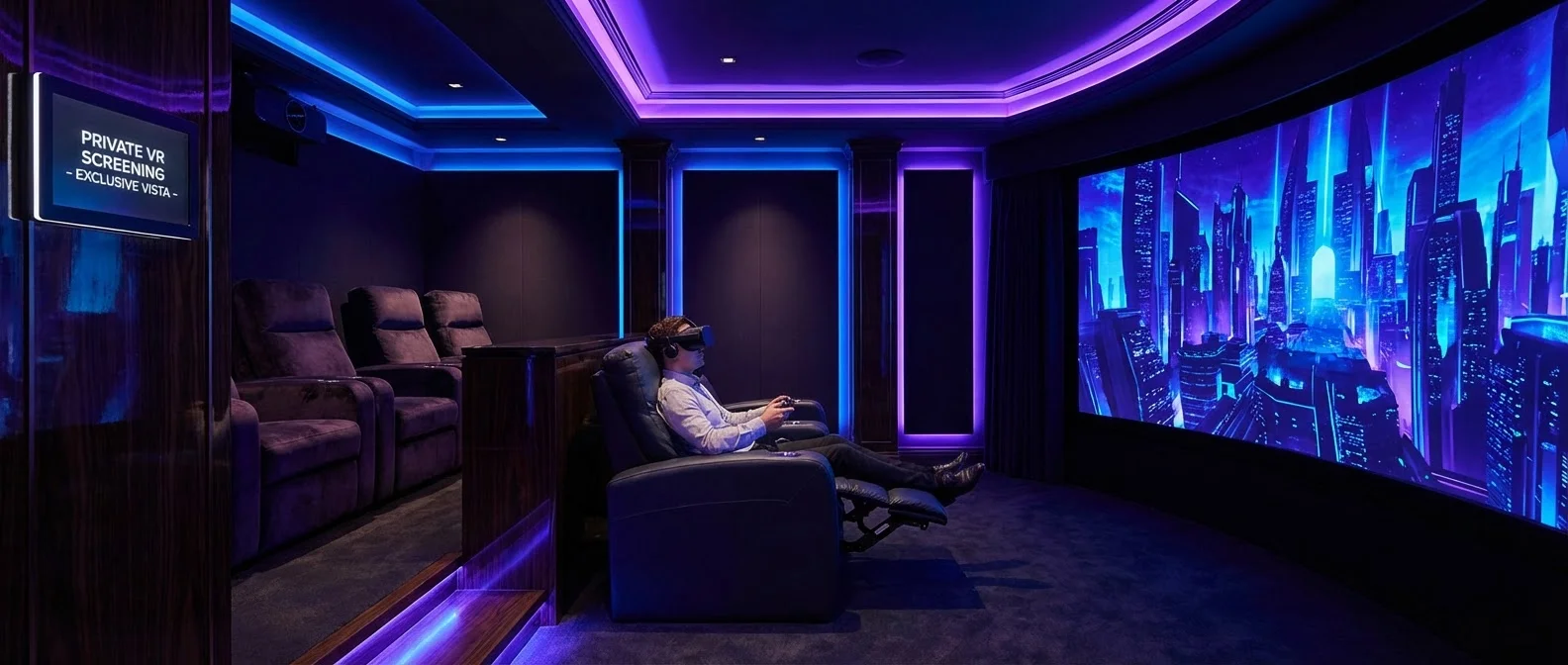
Imagine a movie theater with a screen bigger than any IMAX — right in your living room. VR Cinema transforms any VR headset into a personal theater, offering giant screens, 3D movies, and shared viewing with friends from around the world. Let's explore how it works and which apps are worth trying.
📖 Read more: VR Social: Social Life in Virtual Worlds
What Is VR Cinema?
VR Cinema is the experience of watching movies, series, and videos inside virtual environments using a VR headset. Instead of a physical TV screen or projector, you put on the headset and find yourself in a digital movie theater — complete with seats, darkness, a giant screen, and even popcorn on the virtual table beside you.
The sense of scale is remarkable: the virtual screen can represent 200+ inches, creating an experience that surpasses any home theater. And unlike a real cinema, you control the environment, brightness, sound, and even your seat position in the theater.
Top VR Cinema Apps
Bigscreen VR
The most popular VR cinema app. Bigscreen VR offers dozens of virtual theaters — from classic cinemas to drive-in theaters and futuristic lounges. It supports 3D movies (side-by-side & over-under), streaming from your computer, and shared viewing with up to 12 friends simultaneously. It also features a built-in store where you can rent movies directly.
Skybox VR Player
The premier media player for VR. Skybox VR plays local video files in stunning quality, supporting 4K, 8K, 180°, and 360° video formats. It offers multiple virtual viewing environments — cinema, void (black emptiness), or even a cozy room. It's ideal for local movies and downloaded content.
Virtual Desktop (Cinema Mode)
While primarily a desktop streaming app, Virtual Desktop features an exceptional cinema mode. You can watch anything playing on your computer — Netflix, Disney+, YouTube — on a massive virtual screen with near-zero latency. Ideal for PC gamers who also want a cinema experience.
Netflix VR & Amazon Prime VR
Netflix VR (available on Quest) places you in a cozy virtual living room with a huge screen. Amazon Prime Video VR offers a similar experience. Both apps are free (with a subscription to the respective service) and perfect for series and movies without any setup required.
YouTube VR
YouTube VR opens access to millions of videos — including 360° and VR180 content. The viewing experience includes a virtual theater and controller support for full navigation. Perfect for documentaries, music videos, and immersive content.
Bigscreen VR
Social viewing, 3D movies, rentals, dozens of theaters. The most complete solution.
Skybox VR
Best player for local files. 4K/8K, 180°/360°, multiple environments.
Virtual Desktop
PC streaming. Low latency, cinema mode, full desktop access.
Netflix & Prime VR
Simple cinema experience, ideal for series. Free with subscription.
Virtual Viewing Environments
One of the most captivating aspects of VR cinema is the variety of environments. You're not limited to a single theater — you can switch scenery to match your mood:
- Classic IMAX Theater: Massive curved screen, velvet seats, darkness. The most realistic cinema experience.
- Private Home Theater: A luxurious room with couches, soft lighting, and a warm atmosphere.
- Drive-in Theater: A nostalgic experience under the stars, from inside your car.
- Outdoor Cinema: Watch on a beach, hilltop, or even in outer space.
- Void Mode: Just the screen in black emptiness — maximum focus with zero distractions.
- Futuristic Lounge: A sci-fi hall with neon lighting and holographic elements.
💡 Tip: Customize Your Environment
Many apps let you adjust screen size, viewing distance, ambient brightness, and even add ambient sounds. Experiment until you find the perfect setup for you.
3D Movies in VR
Watching 3D movies in VR is an entirely different experience from 3D glasses at the cinema. In VR, each eye sees a separate image through the headset's lenses, creating true depth perception without needing special glasses.
The results are stunning: action scenes gain three-dimensional substance, landscapes create a sensation of depth, and the experience is far more immersive than traditional 3D. Apps like Bigscreen and Skybox fully support Side-by-Side (SBS) and Over-Under (OU) 3D formats.
Social Watching: Cinema with Friends
One of the most magical aspects of VR cinema is the ability to watch together. You can invite friends from any country and sit next to them in a virtual theater. Talk to each other via voice chat, laugh together at funny scenes, and share the experience as if you were in the same room.
Bigscreen VR is the king of this category, supporting rooms of up to 12 people. Create a private or public room, invite friends, and enjoy movies together. Some users organize weekly cinema nights with groups from different countries — an experience impossible without VR.
"The first time I watched a movie in VR cinema with friends across three continents was magical. It feels like sitting right next to them."
— VR Cinema enthusiastTechnical Requirements & Settings
For the best VR cinema experience, headset resolution is critical. When watching movies on a fixed screen, every pixel counts. Ideally you need:
- Resolution: At least 2K per eye (Quest 3: 2064×2208 per eye) for a clear image without screen door effect.
- Refresh Rate: 72Hz or 90Hz is sufficient for movies (24-30fps content), but higher refresh rates reduce eye strain.
- Audio: Use quality headphones or the headset's built-in spatial audio. Sound makes a tremendous difference in immersion.
- Comfort: For 2+ hour sessions, invest in an upgraded head strap, foam face pad, and properly adjust the IPD.
- Battery: A Quest 3 lasts about 2 hours. Use a battery pack or charger for longer movies.
Best Headsets for VR Cinema
🏆 Meta Quest 3
Excellent resolution (2064×2208 per eye), standalone operation, large app library. The best value for VR cinema. Supports Bigscreen, Skybox, Netflix VR, and YouTube VR.
🍎 Apple Vision Pro
The highest resolution on the market (micro-OLED, 23M pixels). Cinematic image quality. Apple TV+ integration, Spatial Video, exceptional passthrough. Premium price but unmatched virtual screen quality.
🎮 PlayStation VR2
OLED displays, HDR, exceptionally deep blacks — ideal for dark scenes. Requires PS5 or PC adapter. Image quality in dark movies is top-tier thanks to OLED.
Tips for the Perfect Experience
Adjust the IPD
Correct interpupillary distance (IPD) adjustment ensures a sharp image and less eye fatigue.
Dark Room
Turn off the lights to eliminate light leak. Immersion improves dramatically in a dark room.
Comfortable Seating
Use a recliner or couch. For 2-hour movies, comfort is the top priority.
High Resolution
Prefer 4K files or streams. In VR, low resolution is far more noticeable.
VR Cinema App Comparison
📊 Which App Is Right for You?
- For social watching: Bigscreen VR — undisputedly the best for social cinema.
- For local files: Skybox VR — the most complete media player with every format supported.
- For PC streaming: Virtual Desktop — low latency, cinema mode, gaming combo.
- For simplicity: Netflix VR / Amazon Prime VR — plug and play with no setup.
- For free content: YouTube VR — unlimited videos, 360° and VR180.
The Future of VR Cinema
VR cinema is evolving rapidly. With headsets like the Quest 3 and Apple Vision Pro offering increasingly better resolution, the experience approaches — and in some cases surpasses — that of a real cinema. Eye-tracking foveated rendering technology will improve quality even further, while new formats like Spatial Video and Light Field promise experiences that cannot exist in a physical theater.
The social dimension will become even more important — imagine watching a movie premiere in a virtual cinema with thousands of viewers, or attending live events in 360° as if you were there. VR cinema doesn't replace the magic of a real theater — but it offers something uniquely its own.
🎬 Get Started Today
Download Bigscreen VR (free) on your Quest and try the experience. Pick a movie, dim the lights, put on the headset, and enjoy the biggest screen you've ever had — without leaving your home.