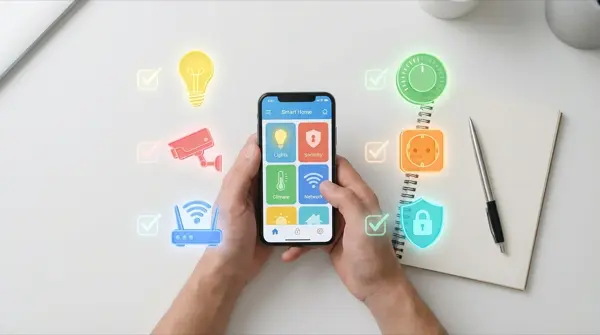
Thinking about turning your home into a smart home but don't know where to start? You're not alone. Most beginners make the same mistakes — buying incompatible devices, spending too much without a plan, or giving up at the first obstacle. In this article we give you 10 practical tips that will save you time, money, and frustration.
1. Start with a Problem, Not Technology
Don't buy gadgets because they “look cool.” Think first about what problem you want to solve: do you want to reduce your electricity bill? Security? Lighting automation? Start with one specific scenario — if it works well, expand gradually. The most common starting points are lighting, security, and thermostats.
2. Check Your WiFi First
90% of smart home problems are caused by poor WiFi. Before buying anything, make sure you have stable coverage in every room. If you have dead zones, invest first in a mesh WiFi router (€70-150). Without reliable WiFi, no smart gadget will work properly — especially cameras, robot vacuums, and doorbell cameras.
3. Choose an Ecosystem — and Stick With It
The three major ecosystems are:
| Ecosystem | Voice Assistant | Advantage | Best For |
|---|---|---|---|
| Google Home | Google Assistant | Excellent voice recognition | Android users, beginners |
| Amazon Alexa | Alexa | Largest device variety | Complex automation, skills |
| Apple HomeKit | Siri | Privacy, UX quality | iPhone / Apple ecosystem |
Don't mix ecosystems at the start — it creates confusion and incompatibilities. Later you can unify everything through Home Assistant if you want more advanced control.
4. Learn the Protocols: WiFi, Zigbee, Z-Wave, Thread
Every smart device uses a wireless protocol for communication:
- WiFi: Easy setup, no hub needed, but loads your router with many connections
- Zigbee: Low power, mesh network, requires a hub (e.g., IKEA DIRIGERA, Philips Hue Bridge)
- Z-Wave: Reliable mesh, fewer interferences, more expensive devices
- Thread/Matter: New standard, cross-platform, will unify everything in the future
For beginners: start with WiFi or Zigbee. Avoid Bluetooth-only devices — they have limited range and slow response times.
5. Set a Budget — and Stick To It
A basic smart home setup costs:
- Starter kit (€50-100): 3-4 smart plugs + 2-3 smart bulbs
- Medium setup (€200-400): + smart speaker + camera + thermostat
- Advanced (€500-1000): + smart lock + sensors + robot vacuum + automations
Don't start by buying everything at once. Buy 2-3 things, learn to use them effectively, then expand. Many beginners buy €500+ worth of equipment and leave it in the box because they don't have time to set it all up properly.
6. Pay Attention to Security
Every smart device is a potential entry point into your network. Basic security rules:
- Always change the default password of every device immediately
- Enable 2FA on every smart home app and account
- Create a separate WiFi network (guest network) for IoT devices
- Update firmware regularly — updates close security vulnerabilities
- Avoid cheap no-name devices from unknown marketplaces without reviews
7. Cloud vs Local: What It Means
Cloud-based devices need internet to function. If the internet goes down or the company shuts down, you lose control. Local-first devices (Shelly, IKEA, Home Assistant) work even without internet. For critical functions (locks, alarms, lighting), always prefer local control to maintain reliability.
8. Don't Be Afraid of DIY Projects
You don't need to be an engineer to build a smart home. Most smart home gadgets are plug-and-play. Even Home Assistant installs easily on a Raspberry Pi in 30 minutes. DIY projects (ESP32, Zigbee sensors) cost less and you learn much more about how things work. YouTube tutorials and Reddit communities are excellent learning resources for every skill level.
9. Automations: Start Simple
Your first automations should be simple and useful:
- Lights turn on/off on schedule or with motion sensor detection
- Thermostat lowers when you leave the house automatically
- Notification if the door opens while you're away from home
- Smart plug turns off TV setup after midnight automatically
Avoid complex automations at the start — if something goes wrong, you'll get frustrated and give up. Make the basics work perfectly before moving to advanced and complex scenarios.
10. Plan for the Future
Buy devices that support Matter or Thread — these protocols will dominate in the coming years. Also, prefer brands that update regularly (Shelly, Philips Hue, IKEA) instead of no-names that stop support after 1 year. A well-planned smart home upgrades easily — it doesn't need to be rebuilt from scratch when new technology arrives.
Conclusion
A smart home isn't a luxury — it's practicality. With €50-100 you can start and see results immediately. The key is the gradual approach: one problem at a time, one solution at a time. Follow these 10 tips and you'll build a reliable, secure, and expandable smart home without unnecessary expenses and headaches.