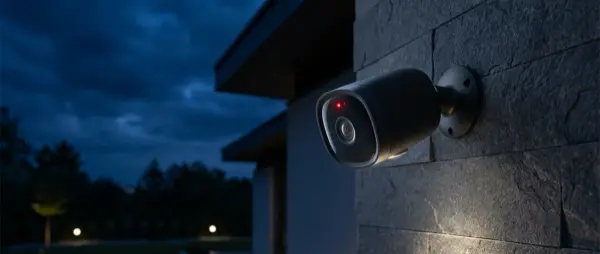
What Is a Smart Security Camera?
A smart security camera is a WiFi-connected device that streams live video to your smartphone and sends you instant notifications when it detects activity. Unlike traditional CCTV systems that required a dedicated recorder and professional installation, modern smart cameras can be set up in minutes with no wiring needed.
In 2026, security cameras feature built-in artificial intelligence (AI) that can distinguish between people, pets, and vehicles, dramatically reducing false alerts. Many models offer two-way talk, color night vision, and even facial recognition. The market has matured so much that even a camera under €20 can deliver excellent image quality.
Types of Security Cameras
Indoor Cameras
Designed for placement inside your home, these cameras are typically small and discreet. Ideal for monitoring your living room, entryway, or kids' rooms. They're not weatherproof but often feature wider viewing angles (105°–180°). Popular models include the TP-Link Tapo C120, Eufy Indoor Cam C120, and Google Nest Cam Indoor.
Outdoor Cameras
Built with IP65/IP67 weatherproofing to withstand rain, dust, and extreme temperatures. Perfect for yards, garages, and building entrances. Many feature built-in spotlights and sirens. Battery-powered wireless models install without any cables but require recharging every few months.
Pan-Tilt-Zoom (PTZ) Cameras
These cameras can rotate horizontally and vertically, covering a full 360° space. Ideal for large areas. However, in 2026 testing, stationary models still outperform them in reliability — PTZ cameras may miss events while panning elsewhere.
Video Doorbells
A combination of camera and doorbell. See who's at the door without opening it. Models like the Ring Video Doorbell and Google Nest Doorbell are popular in Europe, with prices ranging from €80 to €200.
Key Features to Look For
Video Resolution
2K resolution (2304×1296 or 2560×1440) is now the new standard. It delivers sharp images with the ability to digitally zoom without blurriness. While 1080p remains acceptable, you'll find 2K cameras at the same price point if you look around. 4K cameras exist but consume significant bandwidth and storage.
Night Vision
Nearly every camera offers infrared (IR) night vision, producing black-and-white footage. Premium models feature dual spotlights that enable full-color night recording — the TP-Link Tapo C120, for example, offers adjustable spotlights at under €40.
AI Detection
Artificial intelligence identifies people, pets, vehicles, and sounds (baby crying, glass breaking, dog barking). Cameras that offer these features without a subscription — like the Tapo C120 — clearly stand out in testing.
Video Storage
There are three main storage options:
- Local (microSD): Free, files stay in your home, but if the camera is stolen, recordings are lost
- Cloud (subscription): Stored online, accessible anywhere, typically €3–10/month
- NAS/HomeBase: Local storage on a network drive, ideal for advanced users
Smart Home Compatibility
Check whether the camera works with your ecosystem: Amazon Alexa, Google Home, Apple HomeKit, or Samsung SmartThings. Google Nest only works with Google Home and Alexa, while Eufy also supports Apple HomeKit Secure Video.
Top Security Cameras of 2026
| Model | Resolution | Price (€) | Storage | Best For |
|---|---|---|---|---|
| TP-Link Tapo C120 | 2K (2560×1440) | ~€35 | microSD + Cloud | Best overall |
| Eufy Indoor Cam C120 | 2K (2304×1296) | ~€35 | microSD/HomeBase/NAS/Cloud/HSV | Most storage options |
| Google Nest Cam 3rd Gen | 2K | ~€75 | Cloud only | Premium experience |
| TP-Link Tapo C110 | 2K | ~€17 | microSD + Cloud | Budget pick |
| Arlo Essential Indoor | 2K | ~€90 | Cloud | Wireless use |
1. TP-Link Tapo C120 — Best Overall
The Tapo C120 dominates 2026 testing as the camera with the best price-to-performance ratio. Available in Europe for around €35, it delivers 2K resolution at 2560×1440, dual spotlights for color night vision, and AI detection of people, animals, vehicles, and sounds — all without a monthly subscription.
Its Activity Zones feature stands out: you can define specific areas in a room and choose what triggers alerts. Local storage on a microSD card works at no cost, while the Tapo Care subscription (€3.50/month) adds 30-day cloud storage and rich notifications. Compatible with Alexa, Google Home, SmartThings, and IFTTT — but doesn't support Apple HomeKit.
2. Eufy Indoor Cam C120 — Five Storage Options
The Eufy C120 stands out for its five video storage options: microSD, HomeBase S380, NAS via RTSP, Eufy Cloud (€4/month), and Apple HomeKit Secure Video. It captures 2K video day and night, recognizes people, pets, and general motion, and detects crying sounds.
A unique feature is Pet Command: whenever a pet is detected in a designated zone, the camera plays an audio message (e.g., “Get off the couch!”). Important note: full 2K resolution only works when storing to microSD or HomeBase — cloud and NAS storage downgrades the image to 1080p.
3. Google Nest Cam Indoor (3rd Gen) — Premium Experience
The Google Nest Cam Indoor (Wired, 3rd Gen) is the premium choice at €75, with an elegant design and robust build quality. It records clips up to 5 minutes long (the longest in the category), can record 24/7 to the cloud, and distinguishes between people, pets, and vehicles.
The Google Home Premium subscription (€10/month for unlimited cameras) adds facial recognition, smoke/CO detection, and 30-day storage. Gemini AI integration enables searching your video history by keyword. The only downside: there's no microSD slot — the camera relies entirely on cloud storage.
4. TP-Link Tapo C110 — Best Budget Pick
Priced under €20, the Tapo C110 is the most affordable reliable 2K camera available. It captures clear footage day and night, recognizes people, detects crying, and stores locally on microSD or in the cloud. The Video Summary feature condenses an entire day's events into a short video.
It doesn't detect pets or vehicles, which is understandable at this price, and lacks color night vision. Still, for basic indoor monitoring at home or the office, it's the best budget recommendation available in 2026.
Video Storage: Cloud vs Local
The biggest decision after buying a camera concerns storage. Local storage on a microSD card is free and ensures no third party has access to your recordings. However, if the camera is stolen or loses power, you lose your footage.
Cloud storage typically costs €3–14 per month depending on the number of cameras. Its advantages: access from anywhere, security even if the camera is stolen, and easy video sharing. The ideal solution is a combination: local storage for 24/7 recording and cloud for important clips.
Cloud Subscription Costs 2026
- Tapo Care: €3.50/month (1 camera), €12/month (up to 10 cameras)
- Eufy Cloud: €4/month (1 camera), €14/month (unlimited)
- Google Home Premium: €10/month (unlimited cameras)
- Apple HomeKit Secure Video: Free with iCloud+ (from €1/month)
Installation and Setup Step by Step
Setting up a modern WiFi camera is straightforward. Follow these steps:
- Download the app: Tapo, Eufy Security, Google Home, or the respective brand app
- Create an account: Use a strong password and enable 2FA
- Scan the QR code: Connect the camera to your WiFi (preferably 2.4GHz)
- Position it: At 2–2.5 meters height, angled downward for optimal coverage
- Configure zones: Set up Activity Zones and detection sensitivity
- Enable geofencing: Let the camera know when you're away
"Using a security camera inside your home raises important privacy issues. Household members should be informed, and placement should be a shared decision."
— Wirecutter / NYT, 2026 Security and Privacy
A camera's digital security is just as important as its physical protection. Follow these practices:
- Two-Factor Authentication (2FA): Enable two-step verification — offered by Tapo, Eufy, and Google
- Updated firmware: Manufacturers release security patches — check regularly
- Strong WiFi password: Use WPA3 if your router supports it
- Separate network: Place IoT devices on a guest network
- Encryption: Ensure the camera encrypts video in transit and at rest (end-to-end)
Remember that in certain circumstances, companies may hand over video to authorities without your consent, pursuant to a court order. If this concerns you, opt for exclusively local storage or solutions like Apple HomeKit Secure Video that uses end-to-end encryption.
Indoor vs Outdoor Cameras
A common question: is a separate camera needed for indoors and outdoors? Absolutely yes. Outdoor cameras must withstand rain, heat, cold, and dust. IP65 or IP67 weatherproofing is essential. They also need stronger night vision since outdoor areas are typically darker.
For indoor cameras, priority should be given to wide-angle viewing (125°+), microphone/speaker quality for two-way talk, and smart home compatibility. An indoor camera doesn't need an IP rating, but it should be small enough not to disrupt your home décor.
Tips Before You Buy
Before choosing a security camera, consider the following:
- What's the purpose? Pet monitoring, entry protection, or comprehensive security?
- How many cameras do you need? One indoor + one outdoor is usually enough for an apartment
- Do you want a subscription? If not, choose models with local storage (Tapo, Eufy)
- Which ecosystem do you use? Google Home, Alexa, HomeKit?
- How much bandwidth do you have? A single 2K camera consumes ~4 Mbps while streaming
First-Year Cost Comparison
The table below shows the total first-year cost (device + any cloud subscription):
| Camera | Purchase Price | Cloud/Year | 1st Year Total |
|---|---|---|---|
| Tapo C110 + microSD | €17 | €0 | €17 |
| Tapo C120 + Tapo Care | €35 | €42/year | €77 |
| Eufy C120 + Eufy Cloud | €35 | €48/year | €83 |
| Nest Cam + Premium | €75 | €120/year | €195 |
Final Verdict
The era when a security camera was a luxury is over. In 2026, for €17–35 you get a 2K camera with AI detection, two-way talk, and free local storage. The TP-Link Tapo C120 is the top overall recommendation for most users — excellent image quality, a wealth of features without subscription, and a price under €40.
If you need Apple HomeKit support, the Eufy C120 is the best alternative. If you want a premium Google experience and don't mind the monthly subscription, the Nest Cam Indoor 3rd Gen offers unmatched integration with the Google ecosystem. And if your budget is tight, the Tapo C110 at €17 proves that security doesn't have to cost a fortune.