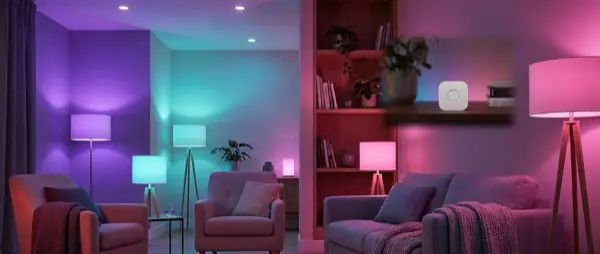
What Is Philips Hue?
Philips Hue is a range of smart LED bulbs and accessories manufactured by Signify N.V. (formerly Philips Lighting). It launched in October 2012 through the Apple Store as the world’s first commercially available smart bulb and has since grown into a complete ecosystem with hundreds of products.
The basic concept is straightforward: you replace your regular light bulbs with Hue bulbs, connect them to a central hub (the Hue Bridge), and control them via your smartphone, voice commands or automations. Within seconds you can change the colour of your entire living room, set warm light for relaxation or create dynamic lighting effects that sync with movies and music.
Why Choose Philips Hue in 2026?
The smart lighting market is now packed with alternatives — WiZ, IKEA TRÅDFRI, Govee, LIFX, Nanoleaf. So why would anyone pick Hue at its higher price point? The answer lies in the overall experience and the breadth of the ecosystem.
First, reliability. Hue uses the Zigbee 3.0 protocol instead of Wi-Fi. This means your bulbs don’t load your router (even if you install 50) and form a mesh network among themselves — each bulb acts as a signal repeater for its neighbours. The result: near-zero latency and exceptional stability.
Second, compatibility. Hue supports Amazon Alexa, Google Home, Apple HomeKit, Samsung SmartThings — and now thanks to Matter — essentially every smart home platform in existence. This universal compatibility makes it a safe choice even if you switch platforms in the future.
Third, the product range. From basic white bulbs (White) to full colour (White & Color Ambiance), light strips, portable lamps, outdoor lighting, gradient TV bars and motion sensors — no other brand offers such variety under a single unified system.
Did You Know?
WiZ, the budget smart bulb range rated as Wirecutter’s top pick (January 2026), is also owned by Signify — the same company behind Philips Hue. WiZ operates over Wi-Fi and costs far less, but doesn’t offer the Zigbee reliability or the rich ecosystem of Hue.
Core Components of the System
Hue Bridge: The Brain
The Hue Bridge is the central control unit that coordinates all your Hue devices. It connects to your router via Ethernet cable and communicates wirelessly with the bulbs over Zigbee. Without a Bridge you can control up to 10 bulbs via Bluetooth, but you lose most features (automations, remote control when away from home, rooms, timers, Hue Sync).
In September 2025, Signify announced the Hue Bridge Pro — an upgraded version with a faster processor, more memory, Matter support, built-in Wi-Fi and the capacity for up to 150 bulbs and 50 accessories. For new users in 2026, the Bridge Pro represents the biggest upgrade in Hue history.
Types of Hue Bulbs
| Type | Colour Temperature | Colours | Approx. Price |
|---|---|---|---|
| White | 2,700K (warm) | White only | ~€15 |
| White Ambiance | 2,200K – 6,500K | Warm to cool white | ~€25 |
| White & Color Ambiance | 2,000K – 6,500K | 16 million colours | ~€50 |
Our recommendation: start with White Ambiance for your main rooms (living room, bedroom, office) — the ability to switch colour temperature is genuinely useful in daily life. Add White & Color Ambiance only where you want colourful effects (e.g. behind a TV, in a gaming room).
Accessories & Extra Products
Beyond the classic E27 and GU10 bulbs, the Hue ecosystem includes a broad catalogue of accessories:
- Hue Lightstrip Plus — Flexible LED strip for behind furniture, under cabinets or around mirrors
- Hue Play Bars — Light bars designed for behind your TV (bias lighting)
- Hue Gradient Lightstrip — A strip that displays multiple colours simultaneously, ideal for Hue Sync
- Hue Go — Portable battery-powered light
- Hue Outdoor — Waterproof outdoor lighting range (garden, patio, pathways)
- Hue Dimmer Switch — Wireless dimmer/remote requiring no wiring
- Hue Motion Sensor — Motion sensor for automatic on/off
- Hue Tap Dial Switch — Rotary dimming switch with no batteries
Step-by-Step Setup
Getting Philips Hue up and running is fairly straightforward, even with no smart home experience. Follow these steps:
- Connect the Hue Bridge — Unbox the Bridge, plug in the power adapter and connect the Ethernet cable to a free port on your router. Wait until all three lights are solid.
- Screw in the Hue bulbs — Replace the standard bulbs in your fixtures. Make sure the wall switch is ON — Hue bulbs need constant power.
- Download the Philips Hue app — Available free for iOS and Android. Open it and tap “Set up” to start the setup wizard.
- Pair the Bridge with the app — The app will automatically detect the Bridge on your local network. Press the physical button in the centre of the Bridge to confirm the connection.
- Add your bulbs — The app will search for bulbs automatically. Name them (e.g. “Living Room Main”, “Bedroom Nightstand”) and assign them to rooms.
- Create rooms — Group your bulbs by room for easy one-tap or single-voice-command control.
- Try it out! — Tap on/off, adjust brightness, try changing colours if you have Color Ambiance, and enjoy the magic.
Important Tip
Never turn off Hue bulbs from the wall switch! If you cut power, the bulbs become digitally unreachable. Use a Hue Dimmer Switch or Tap Dial mounted over the old switch instead, or simply use the app and your voice.
The Philips Hue App: What You Can Do
The Philips Hue app is the central control panel for your system. While you can also control your lights from Apple Home, Google Home or Alexa, the native app offers the most advanced capabilities.
Scenes
Scenes are preset lighting configurations you can activate instantly. Hue comes with dozens of built-in scenes — Relax (warm dim light), Concentrate (cool bright light), Energize (bright daylight) — but you can also create your own. Pick a photo or image and the app will automatically extract a colour palette for your lights.
Automations
Through Automations, you can programme the system to respond automatically to everyday scenarios:
- Wake Up — Gradual light increase before your alarm, simulating a natural sunrise
- Go to Sleep — Gradual dimming and switch-off at a time you choose
- Home & Away — Automatic light-off when you leave (geofencing via GPS) and auto-on upon return
- Timers — Scheduled on/off at set times, great for simulating presence when you’re on holiday
- Motion-triggered — Automatic activation via motion sensor, e.g. in a hallway or bathroom
Hue Sync & Entertainment
One of Hue’s most impressive features is syncing lighting with entertainment content. Using the Hue Sync desktop app or the Hue Sync Box (HDMI), the lights behind your TV change colour in real time following what’s on screen. Imagine an action film where explosions “light up” the entire room, or a video game that reflects off the wall behind you.
This experience works best with Hue Play Bars placed behind the TV or a Hue Gradient Lightstrip around the sides and top.
Protocols & Compatibility
Zigbee 3.0
Hue uses Zigbee 3.0 as its primary wireless protocol. Unlike Wi-Fi bulbs, Zigbee devices operate on a separate wireless network (2.4 GHz mesh) that doesn’t compete with your home internet. Each bulb simultaneously acts as a signal repeater, boosting coverage in large homes.
Bluetooth
Since June 2019, all Hue bulbs also support Bluetooth. Without a Bridge you can control up to 10 bulbs within ~9 metres via the Hue Bluetooth app. This is handy if you want to try one or two bulbs before buying a Bridge, but you’ll miss out on automations, remote access and full smart home integration.
Matter
With the new Hue Bridge Pro (2025), the system now supports the Matter protocol. This means your Hue lights can work seamlessly with any Matter-compatible platform — even platforms that don’t exist yet. Matter is the new universal smart home standard that ensures interoperability across manufacturers.
Voice Assistants
Hue works beautifully with Amazon Alexa, Google Assistant and Apple Siri / HomeKit. Voice control is fast and natural:
- “Alexa, turn the living room lights warm”
- “Hey Google, set bedroom to 30%”
- “Hey Siri, good night” (a scene that gradually turns off all lights)
Cost & Prices (2026)
Let’s be honest: Philips Hue isn’t cheap. A single White & Color Ambiance bulb costs around €50, while an equivalent WiZ bulb goes for €7 on Amazon. This difference reflects the build quality, Zigbee reliability and premium ecosystem, but that doesn’t mean you need to drain your bank account.
Here’s a realistic cost breakdown for a typical beginner setup:
| Product | Price |
|---|---|
| Hue Starter Kit (Bridge + 3 White Ambiance E27) | ~€100 |
| Hue Starter Kit (Bridge + 3 Color Ambiance E27) | ~€160 |
| Hue Bridge Pro (standalone) | ~€130 |
| Hue Dimmer Switch (v2) | ~€25 |
| Hue Motion Sensor | ~€35 |
| Hue Lightstrip Plus (2 m) | ~€70 |
| Hue Play Bar (set of 2) | ~€120 |
Money-Saving Tip
Always start with a Starter Kit rather than buying the Bridge and bulbs separately — you’ll save €20–30. Expand gradually, one room at a time. Hue White bulbs (~€15) are perfect for utility areas where you don’t need tone changes.
Real-World Usage Scenarios
Morning Wake-Up
Set a “Wake Up” automation that starts 30 minutes before your alarm. Bedroom lighting gradually rises from 0% to 100%, beginning with a warm orange (2,000 K) and reaching natural white (4,000 K). The experience mimics sunrise and wakes you more gently than any alarm sound.
Working from Home
Create a “Focus” scene with cool white light (5,500 K – 6,500 K) at 80–100% brightness. Research shows that cool lighting improves alertness and concentration. At the end of the working day, the light automatically transitions to warm tones, signalling that it’s time to unwind.
Movie Night
A set of Hue Play Bars behind the TV, connected via Hue Sync, turns your living room into a cinema experience. The lighting follows the on-screen colours, creating an immersive atmosphere that words can’t describe — you have to experience it.
Security (While Away)
The “Mimic Presence” feature randomly switches on and off lights in different rooms while you’re away, giving the impression someone is home. Combined with sunrise/sunset timers, it creates a highly convincing occupancy pattern.
Hue vs the Competition: Quick Comparison
Before buying Hue, it’s worth knowing the alternatives:
| Brand | Strength | Weakness | Price/Bulb |
|---|---|---|---|
| Philips Hue | Full ecosystem, Zigbee, Matter | Expensive | ~€50 |
| WiZ | Very affordable, same parent company | Wi-Fi (loads router) | ~€7 |
| IKEA DIRIGERA | Budget Zigbee, physical stores | Limited colour range | ~€10 |
| Govee | Cheap RGB, light strips | Wi-Fi, average quality | ~€12 |
| LIFX | Bright, no hub required | Very expensive, Wi-Fi | ~€40 |
If cost is your main concern, WiZ or IKEA DIRIGERA are excellent alternatives. If you want the best possible system with maximum reliability and expansion potential, Hue remains the top choice.
Common Beginner Questions
Do I absolutely need a Bridge?
Technically no — you can start with just Bluetooth (up to 10 bulbs). In practice, however, without a Bridge you lose automations, remote access from outside your home, multi-bulb scenes and voice assistant integration. Our recommendation: buy a Bridge from day one.
How many bulbs do I need?
It depends on the space. A typical living room needs 2–4 bulbs, a bedroom 1–2, a home office 1–2. Start small — a Starter Kit with 3 bulbs is enough to decide whether the experience works for you before expanding.
Will it work with my existing fixtures?
If your fixtures use standard E27 (the most common), GU10 (spotlights) or E14 (candle) sockets, no changes are needed. Remove the old bulb, screw in the Hue and you’re done. No special wiring or electrician required.
What happens during a power cut?
When power returns, Hue bulbs will turn on at their default setting (usually warm white at 100%). You can change this behaviour in the app — for example, setting them to stay off after a power cut.
Is upgrading to Bridge Pro worth it?
If you’re starting now, yes — the Bridge Pro supports Matter, holds three times as many devices (150 bulbs vs 50) and has built-in Wi-Fi. If you already own a 2nd-generation Bridge with 10 bulbs, the upgrade isn’t urgent unless you need Matter.
Conclusion: Is Philips Hue Worth It in 2026?
After 13+ years on the market, Philips Hue remains the king of smart lighting. Matter support via Bridge Pro, an unmatched product range, Zigbee reliability and deep integration with every smart home platform make it a safe investment even at its premium price.
Our recommendation for new users in February 2026: buy a Starter Kit with Bridge Pro and 3 White Ambiance bulbs. Try it for a week in your living room, experiment with scenes and automations, and if you enjoy the experience — expand gradually to the bedroom, kitchen and outdoors. There’s no need to buy everything at once.
Truth be told, once you experience the moment you say “Alexa, turn off the lights” and the entire house responds, there’s no going back.