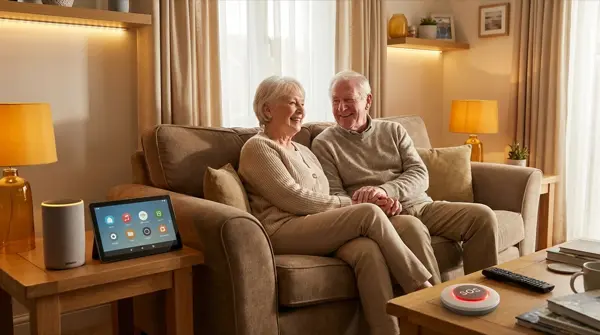
Smart home technology can make a tremendous difference in elderly people's lives — from fall detection sensors to automatic lighting and SOS buttons. This isn't about gadgets but real safety and practical help. In this guide, we'll look at which smart devices truly help the elderly, how to install them simply, and how to create a system that provides peace of mind for both them and their family.
Why Smart Home for the Elderly
According to statistics, 1 in 3 people over 65 falls at least once a year. Slow response to a fall can be critical. At the same time, many elderly people live alone and want independence — not a move to a nursing home. Technology can bridge this gap: a) fall notification, b) safety automations, c) simple voice control, d) remote monitoring by family members. Without complexity, without subscription costs (in most solutions).
Fall Sensors & SOS
| Device | Function | Connection | Price | Rating |
|---|---|---|---|---|
| Apple Watch SE | Fall detection, SOS, ECG | iPhone | ~€280 | ⭐ 9/10 |
| Samsung Galaxy Watch | Fall detection, SOS | Android | ~€250 | ⭐ 8.5/10 |
| SOS Button (Aqara) | Manual SOS press | Zigbee Hub | ~€12 | ⭐ 8/10 |
| Medical Alert Pendant | SOS + GPS tracking | Cellular | ~€15/month | ⭐ 9/10 |
| Aqara FP2 Presence | Mmwave presence/fall | WiFi | ~€60 | ⭐ 8/10 |
Recommendation: Apple Watch SE if they use iPhone — auto fall detection + SOS call. For non-tech users, Aqara SOS button around the neck or next to the bed (press → notification to family). Aqara FP2 mmWave sensor can detect falls without a wearable — place in bathroom/bedroom.
Automatic Lighting
The #1 cause of falls at home: dark areas at night. Automatic lighting solves this:
Motion sensors + smart lights: Place motion sensors in hallway, bathroom, kitchen. At night (11pm-7am), motion → lights ON at 30% warm white. Enough light to see without being blinded. IKEA VALLHORN (€10) + TRÅDFRI bulb (€9) = €19 per location.
LED strips under the bed: Govee LED strip (€12) with built-in motion sensor. Getting up → soft floor-level light turns on. Ideal for nighttime movement.
Smart switch instead of complex setup: If the elderly person doesn't want changes to their routine, replace the standard switch with Shelly 1 (€13) behind the existing one. Physical switch works normally + background automations.
Security & Monitoring
Door sensors: Aqara door sensor (€10) on the front door. Notification if door stays open 10+ minutes, if it opens at unusual hours (3am), or if it hasn't opened by 10am (the elderly person may need help).
Water leak sensor: Aqara water sensor (€15) near the washing machine, under the sink. Notification if water leaks. Prevents flooding and damage.
Smoke/CO detector: Smart smoke detector (Nest Protect, €120 or Aqara Smoke Sensor, €35). Notification to family's phones if alarm sounds — even if the elderly person doesn't hear well.
Camera (with respect): TP-Link Tapo C200 (€25) in common areas (living room or entrance) — NOT in bathroom or bedroom. Balance safety and privacy. Always ask first.
Voice Control: The Simplest Interface
For elderly people who struggle with touchscreens, voice control is a game-changer:
"Alexa, call George" — hands-free phone calls. Amazon Echo can call contacts without a mobile phone.
"Alexa, turn on the lights" — without getting out of bed or finding the switch.
"Alexa, set a 20 minute timer" — for cooking, medication, rest.
"Alexa, what's the weather" — information without a phone or TV.
Drop-in feature (Echo): Family members can “drop in” to the Echo like an intercom — real-time check: “Mom, are you okay?”
Medication Reminders
Voice assistant reminders: “Alexa, every morning at 8, remind me to take my medicine.” Simple, effective. Alternatively, a smart pill dispenser (Hero, PillPack) if dosing is more complex — but these are more expensive (€100+). For most people, voice reminders are sufficient.
Climate Control
Elderly people forget open windows in winter or leave heating on 24/7:
Smart thermostat (tado° or Nest): Automatic schedule: 21°C during the day, 19°C at night. Window sensor integration: if window opens → heating OFF. Geofencing if they leave the house → eco mode. 20-30% savings on heating.
Temperature alerts: If temperature drops below 16°C or rises above 30°C → notification to family. Especially important during heatwaves or cold snaps.
Basic Setup Cost
| Device | Purpose | Price |
|---|---|---|
| Amazon Echo Dot | Voice control, intercom | €30 |
| 2x Motion Sensor (IKEA) | Auto lighting | €20 |
| 2x Smart Bulb | Hallway + bathroom | €18 |
| Door Sensor (Aqara) | Front door monitoring | €10 |
| SOS Button (Aqara) | Panic button | €12 |
| Water Sensor | Leak detection | €15 |
| Aqara Hub M2 | Sensor hub | €50 |
| Total | ~€155 |
Conclusion
Smart home for the elderly isn't a luxury — it's a practical safety solution. With ~€155 you install automatic lighting, an SOS button, door monitoring, leak detection, and voice control. Installation takes half a day and doesn't change the usual routine. Most importantly: give peace of mind to the family and independence to the elderly person. Technology works in the background — it alerts when something goes wrong and automates care.