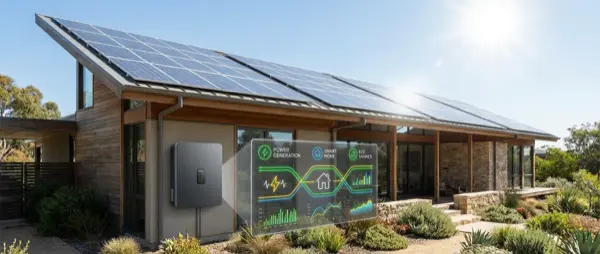
Solar panels on your roof are just the beginning. The real value comes when you connect them to your smart home: automatic load shifting to production hours, battery management, EV charging optimization, real-time monitoring. In this guide, we analyze how to create a complete solar + smart home system.
📖 Read more: Smart Home for the Elderly: Safety and Comfort
Why Solar + Smart Home?
A solar system without smart management means: you produce electricity → don't consume it → sell cheaply to the grid (net metering ~€0.05/kWh) → buy expensive at night (~€0.20/kWh). With smart home you automate: washer/dryer runs only when producing, boiler heats with free solar energy, EV charges during the day, battery stores surplus. Result: self-consumption 70-90% instead of 30%.
Top Solar Monitoring Systems
| System | Monitoring | Smart Home | Battery | Price | Rating |
|---|---|---|---|---|---|
| SolarEdge + Home Hub | Panel-level | ✅ (API) | ✅ | Premium | ⭐ 9/10 |
| Enphase IQ | Microinverter | ✅ (API) | ✅ (IQ Battery) | Premium | ⭐ 9/10 |
| Huawei FusionSolar | String-level | ✅ | ✅ (LUNA) | Mid | ⭐ 8.5/10 |
| Shelly Pro 3EM | CT clamps | ✅ (native) | ❌ | ~€120 | ⭐ 8/10 |
| Home Assistant Energy | Aggregation | ✅ (full) | ✅ | Free | ⭐ 9.5/10 |
Battery Storage: Worth It?
Batteries (Tesla Powerwall, BYD HVS, Huawei LUNA) store solar energy for nighttime use. Tesla Powerwall 3: 13.5kWh, ~€8,000 installed. Built-in inverter. Gateway manages grid connection and backup power during outages. BYD HVS: Modular (5.1-12.8kWh), ~€5,000-€9,000. Most popular in Europe, compatible with most hybrid inverters from Fronius, SMA, and Kostal. Huawei LUNA2000: 5-15kWh, ~€4,500-€10,000. Excellent integration with Huawei inverters. Battery ROI: 8-12 years (longer with net metering). Worth more without net metering or with time-of-use tariffs where night electricity costs differ significantly from daytime rates.
Smart Solar Automations
Automation 1 — Surplus Redirect: When production > consumption, activate boiler, washer, EV charger (in priority order). Home Assistant + Shelly Pro 3EM. Automation 2 — Battery Priority: If battery < 80% and sunny, charge battery first. If battery 100%, redirect to EV/boiler. Automation 3 — Seasonal: Winter: priority to boiler + battery. Summer: priority to A/C + EV. Automation 4 — Night Mode: At night use only battery. If battery < 20%, fall back to grid. Automation 5 — Weather-Based: If tomorrow is cloudy, charge battery 100% from grid overnight (cheap tariff).
Monitoring & Dashboard
The Home Assistant Energy Dashboard aggregates: solar production (kWh), home consumption, grid export, grid import, battery status. You see real-time: “right now producing 4.2kW, consuming 1.8kW, 2.4kW → battery.” Alternatively, native apps (mySolarEdge, Enphase, FusionSolar) provide panel-level monitoring but without smart home automations. Ideal: native monitoring + Home Assistant for automations.
📖 Read more: Smart Plug: The 10 Best Smart Plugs 2026
EV Charging & Solar
If you have an electric vehicle, solar panels make a massive difference. A standard EV needs ~3,500kWh/year (15,000km). A 6kWp solar system in Southern Europe produces ~9,000kWh/year. That means free “fuel” for every trip. Smart EV charging: the Easee Charge (€800) or Wallbox Pulsar Plus (€650) communicate with Home Assistant and charge ONLY when there's surplus solar energy. Result: zero-cost charging most days.
Net Metering vs Self-Consumption
Net metering lets you “store” surplus in the grid and use it at night. However, the offset is in kWh — not money. This means self-consumption is always more efficient: consuming 1kWh free instead of exporting 1kWh and importing 1kWh saves you regulated charges (~€0.08/kWh). With smart automations, you increase self-consumption significantly: from 30-40% (without smart) to 60-80% (with automations) or 85-95% (with battery + automations).
Smart Solar System Installation
Step 1: Install solar panels via certified installer. Step 2: Place Shelly Pro 3EM in electrical panel (CT clamps on main line + solar line). Step 3: Install Home Assistant (Raspberry Pi 5 or mini PC). Step 4: Connect inverter API (SolarEdge/Enphase/Huawei integration). Step 5: Set up Energy Dashboard — production, consumption, export, grid. Step 6: Create automations — surplus redirect, battery priority, EV charging. Total time: 2-3 days (solar 1 day + smart setup 1-2 days).
Complete System Cost
| Component | Cost | Annual Benefit | ROI |
|---|---|---|---|
| Solar panels 6kWp | ~€5,500 | ~€1,100 | 5 years |
| Battery 10kWh | ~€6,000 | ~€600 | 10 years |
| Smart monitoring (Shelly) | ~€120 | ~€200 | 7 months |
| Home Assistant (RPi5) | ~€100 | ~€300 | 4 months |
| Smart plugs (×5) | ~€75 | ~€100 | 9 months |
| Total | ~€11,795 | ~€2,300 | ~5 years |
Conclusion
Solar panels deliver their maximum value only with smart management. Start with Shelly Pro 3EM (~€120) for monitoring + Home Assistant for automations — increasing self-consumption from 30% to 70%+. Add battery later when prices drop further. If you're planning an electric car, solar + smart charging is a game changer: free kilometers every day powered only by the sun. The combination of solar production, intelligent automation, and strategic consumption is what transforms a simple rooftop installation into a genuinely profitable energy system.
Energy independence isn't a dream — it's a calculable investment with clear ROI. With proper planning, you keep at home what you'd otherwise be paying to the utility company for decades. And with battery prices dropping 15-20% every year, full autonomy is approaching faster than ever.