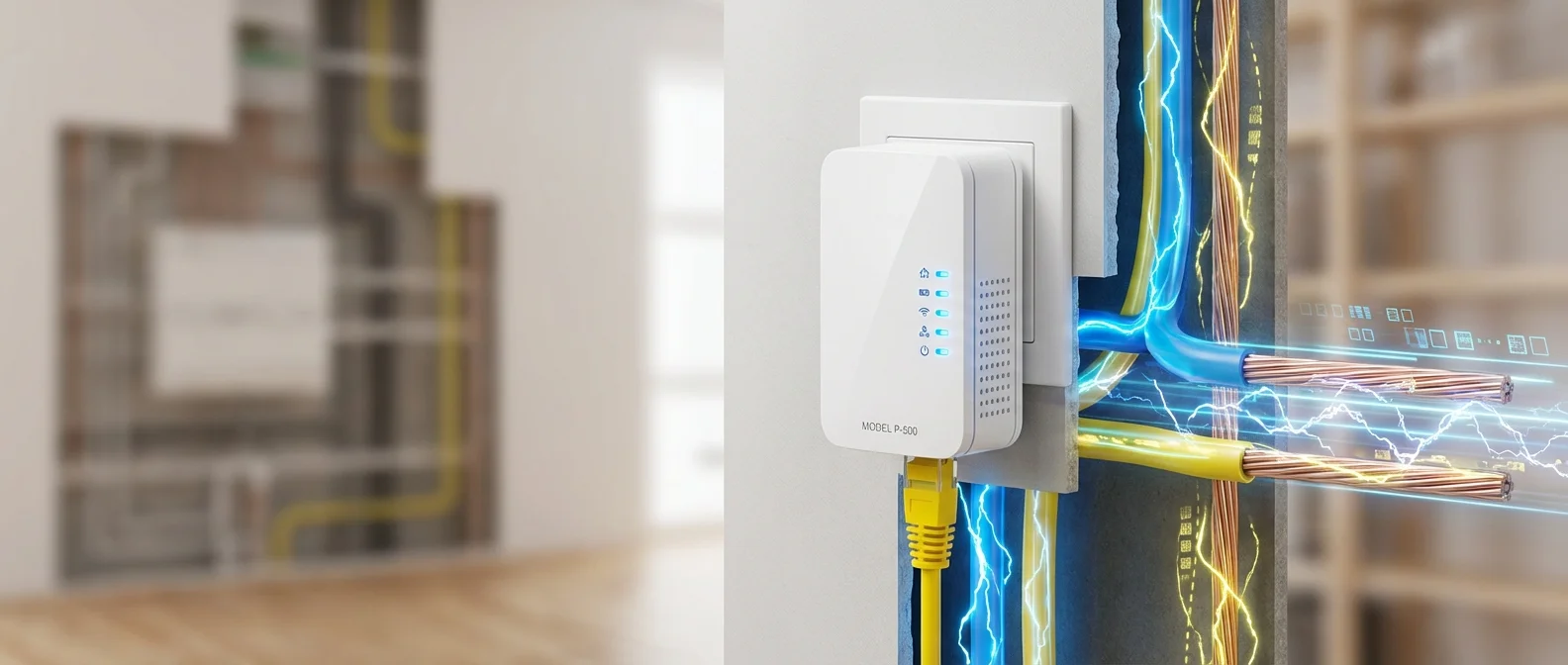
In an era where WiFi 7 mesh systems dominate the shelves, powerline adapters might seem like yesterday's technology. And yet — they keep selling, keep evolving, and in certain scenarios remain the only practical networking solution. In this guide, we examine whether powerline adapters are still worth buying in 2026, when they outperform the alternatives, when you should avoid them, and which models stand out.
📖 Read more: Router Setup: Tips for Faster Internet
🔌 What Are Powerline Adapters?
Powerline adapters are devices that use your home's existing electrical wiring to transmit network data. Power-Line Communication (PLC) technology turns every wall outlet into a network point — no drilling holes, no running Ethernet cables, and no reliance on wireless signals.
The concept isn't new. PLC technology has been around for decades, initially for industrial applications and later for home networking. HomePlug 1.0 appeared in 2001 with a peak speed of just 14 Mbps. Then came HomePlug AV in 2005 (200 Mbps), followed by HomePlug AV2 in 2012 with gigabit-class speeds and MIMO support. The HomePlug Alliance wound down its activities in October 2016 and released all specifications into the public domain.
Today, the dominant standard is G.hn (ITU-T G.9960), approved in 2009 and supporting theoretical speeds up to 2 Gbps. Unlike HomePlug, G.hn works across power lines, phone lines, coaxial cables, and even plastic optical fiber. Meanwhile, the IEEE 1901 standard (2010) encompasses both HomePlug AV and HD-PLC technologies.
⚡ How They Work: The Technical Side
Modern powerline adapters use OFDM (Orthogonal Frequency-Division Multiplexing) for signal modulation — the same technique found in WiFi, ADSL, and 4G/5G networks. The data signal rides on top of the 50 Hz electrical current, using frequencies from 2 MHz up to 86 MHz (or higher for G.hn).
MIMO (Multiple-Input Multiple-Output) technology, introduced with HomePlug AV2 and G.hn MIMO (G.9963, 2012), leverages the multiple conductors in your electrical system — phase, neutral, and ground — to transmit data simultaneously across multiple “channels.” This significantly boosts both speed and reliability.
On the security front, all modern PLC standards use AES-128 encryption, while G.hn offers point-to-point security with LDPC (Low-Density Parity-Check) forward error correction. Your data remains protected even if you share electrical wiring with neighbors — a common situation in apartment buildings.
📊 Speeds: Advertised vs Real-World
Here lies the biggest pitfall of powerline adapters: advertised speeds don't reflect reality. As a general rule, real-world speeds typically land at 30-50% of theoretical ratings, depending on numerous factors.
Theoretical vs Real-World Powerline Speeds
| Standard | Theoretical | Real-World (typical) | Year |
|---|---|---|---|
| HomePlug 1.0 | 14 Mbps | 5-8 Mbps | 2001 |
| HomePlug AV | 200 Mbps | 60-90 Mbps | 2005 |
| HomePlug AV2 | 1,200 Mbps | 200-400 Mbps | 2012 |
| G.hn | 1,000 Mbps | 300-500 Mbps | 2009 |
| G.hn MIMO | 2,000 Mbps | 400-800 Mbps | 2012+ |
Factors that dramatically affect performance include: wiring age and quality (older homes with aluminum wiring yield worse results), electrical noise from appliances (washing machines, air conditioners, chargers), surge protectors and UPS devices (they block the signal entirely), and phase crossing at the circuit breaker panel — if two outlets sit on different phases, speeds drop significantly.
📖 Read more: WiFi Extender vs Mesh: Which One Do You Actually Need?
🏠 When They're Still Worth It in 2026
Despite the dominance of mesh WiFi systems, powerline adapters remain the best choice in specific scenarios. Here are the situations where they still shine:
Old Buildings with Thick Walls
In stone houses, historic buildings, or apartment blocks with reinforced concrete walls, WiFi signals struggle to penetrate. Powerline adapters leverage the wiring that's already there, bypassing every physical obstacle.
Basements, Garages & Storage Rooms
Underground or remote spaces rarely get decent WiFi coverage. A single wall outlet is enough to bring internet to a basement home office or a storage room running a NAS.
Temporary Setups
Student apartments, Airbnb rentals, or offices where you can't (or don't want to) make permanent installations. Plug-and-play in 2 minutes, no drilling, no technician needed.
Stable Connections for Gaming/Streaming
When you need low latency and stability (e.g., gaming console, 4K smart TV), a powerline adapter with an Ethernet port delivers more predictable performance than WiFi at long range.
Conversely, if your home has good WiFi coverage, modern wiring, and room for mesh nodes, a mesh WiFi system will outperform powerline in most scenarios. Powerline adapters don't replace WiFi — they complement it.
🔄 Powerline vs WiFi Mesh vs MoCA: Comparison
Which networking technology suits your home? The answer depends on your infrastructure, budget, and needs. Here's an objective comparison:
Home Networking Technologies Compared
| Feature | Powerline | WiFi Mesh | MoCA |
|---|---|---|---|
| Speed (real-world) | 200-800 Mbps | 500-2,000 Mbps | 800-2,500 Mbps |
| Reliability | Variable | High | Very high |
| Installation | Very easy | Easy | Moderate (needs coax) |
| Wired port | Yes (Ethernet) | Usually 1-2 | Yes (Ethernet) |
| Market availability | Widespread | Widespread | Limited (EU) |
| Cost (pair) | €35-130 | €150-500 | €130-250 |
| Noise/Interference | Sensitive | Moderate | Minimal |
MoCA (Multimedia over Coax Alliance) uses existing TV coaxial cables and delivers excellent speeds, but product availability is limited in Europe. WiFi 7 mesh systems clearly lead on speed but cost significantly more. Powerline adapters win on price, ease of setup, and delivering a wired connection to spots where WiFi can't reach.
🛒 Best Models for 2026
The powerline adapter market has narrowed, but solid options remain — mainly from Devolo and TP-Link. Here are our top recommendations:
📖 Read more: Mesh WiFi 2026: Best Systems Compared
Devolo Magic 2 WiFi 6 (Starter Kit)
The top pick. Uses the G.hn standard with a theoretical powerline speed of 2,400 Mbps and a built-in WiFi 6 access point. Ideal if you want both WiFi and Ethernet in remote rooms.
- G.hn with MIMO
- WiFi 6 AX1800 mesh
- 2x Gigabit Ethernet ports
Price: ~€120-150 (2-unit set)
TP-Link TL-PA9020P Kit
A proven solution using HomePlug AV2 at 2,000 Mbps theoretical. Features 2 Gigabit Ethernet ports per adapter and a passthrough outlet — so you don't lose a power socket.
- HomePlug AV2 MIMO
- 2x Gigabit Ethernet
- Passthrough outlet
Price: ~€50-70 (2-unit set)
TP-Link TL-PA4010 Kit
The most affordable option for basic needs. HomePlug AV2 at 600 Mbps — enough for streaming, browsing, and casual gaming. Compact design, effortless setup.
- HomePlug AV2
- 1x Fast Ethernet port
- Plug & Play setup
Price: ~€35-45 (2-unit set)
Powerline Adapter Buying Tips
- Always plug into a wall outlet: Never connect them to power strips or surge protectors — these block the signal entirely.
- Same electrical phase: Both outlets should be on the same phase of your circuit breaker panel for optimal performance.
- Test first: Buy a basic pair (~€35-45) to test how your home's wiring performs before investing in premium models.
- Passthrough outlet: Choose models with passthrough if you don't want to lose a power socket.
- G.hn vs HomePlug: If budget allows, G.hn models (e.g., Devolo Magic) deliver better performance and future-proofing.
It's worth noting that powerline technology is widely used in industrial applications too. HomePlug Green PHY is part of the SAE J1772 standard for electric vehicle charging, while smart grid systems rely on PLC for telemetry. The technology isn't “dead” — it has simply found its niche in specialized scenarios.
One topic worth mentioning is electromagnetic interference (EMI). Unshielded electrical wiring can act as a broadcast antenna, potentially interfering with radio services. In practice, modern models strictly control emission levels and carry CE certification — just make sure you're using certified products.
🎯 The Verdict: Worth It or Not?
Powerline adapters aren't the optimal networking solution for every home — but they're far from obsolete technology either. In 2026, the reality is nuanced: in a home with modern wiring and an open floor plan, a WiFi 7 mesh system will deliver incomparably better results. In an older building with thick walls, multiple floors, or a need to connect a basement, powerline adapters may be the only viable solution that doesn't require an electrician.
Starting at just €35 for a basic pair, the financial risk is minimal. Our advice: start with an entry-level kit, test your wiring, and if the speeds meet your needs, upgrade to a G.hn model with WiFi 6 for maximum flexibility.
"Powerline adapters never replaced WiFi — and that was never their purpose. They're the bridge that brings internet where no wireless signal can reach. And in that role, they remain invaluable even in 2026."